Edit survey landing pages
SendPulse automatically generates landing pages for your surveys. Visitors can resubmit your form and share it on social media. You can customize your survey landing page based on your company's business goals.
In this article, you will learn how to edit and customize your survey landing page.
What is a survey landing page?
A survey landing page is a page where your website visitors can fill out a survey and share it with other users. This allows you to easily share your survey and collect valuable user feedback to improve the quality of your products or services.
Customize your survey landing page
When creating a survey, you will receive a link to your automatically generated landing page.
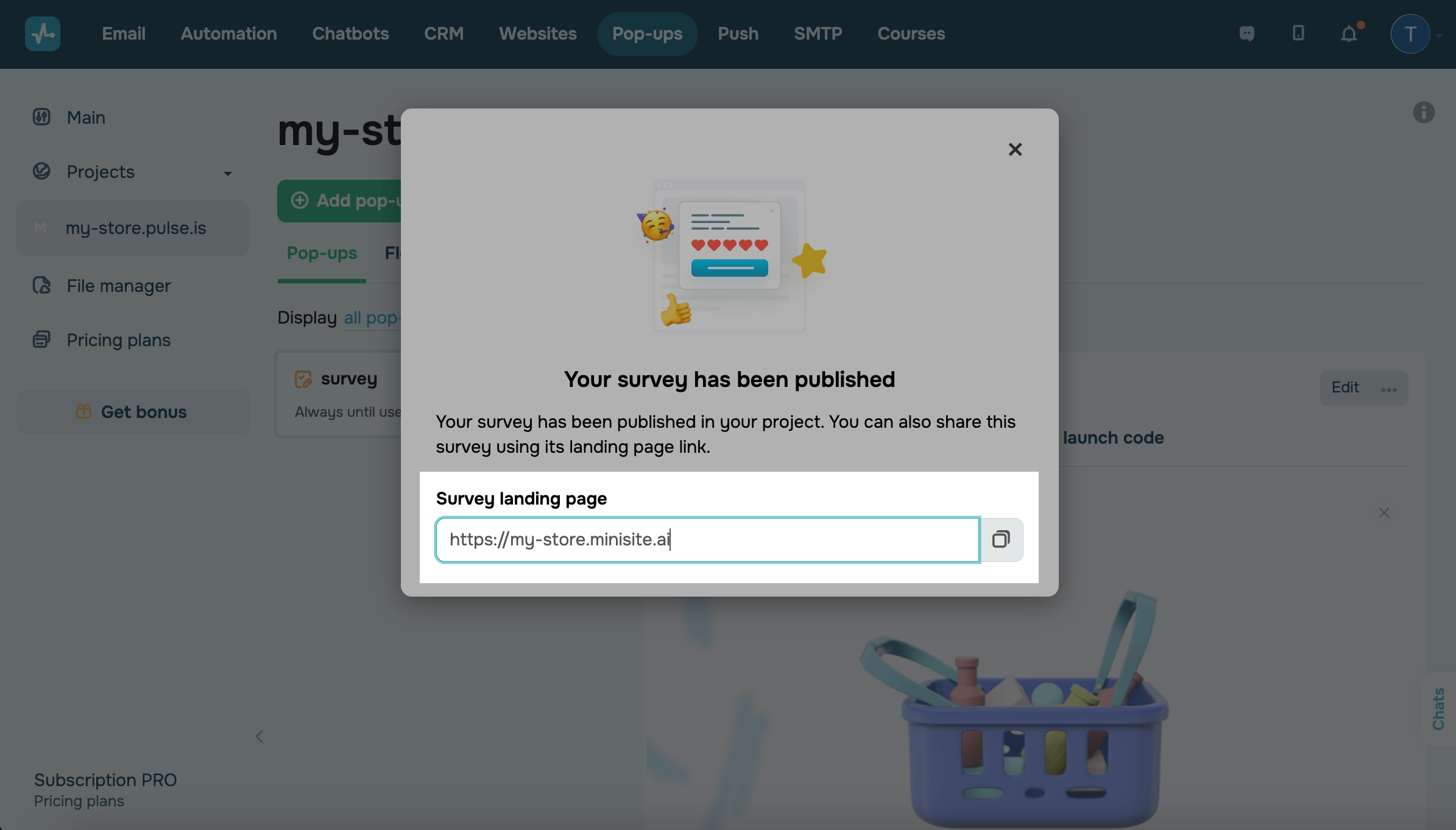
This page will include the survey you created. You can add more information or elements to this page.
All changes you make to your survey landing page will not apply to the survey itself. To edit your survey, go to its settings.
View your survey landing page
You can view your survey landing page in Websites > Quiz sites. Click the dropdown menu to view statistics and edit, customize, or go to the page.
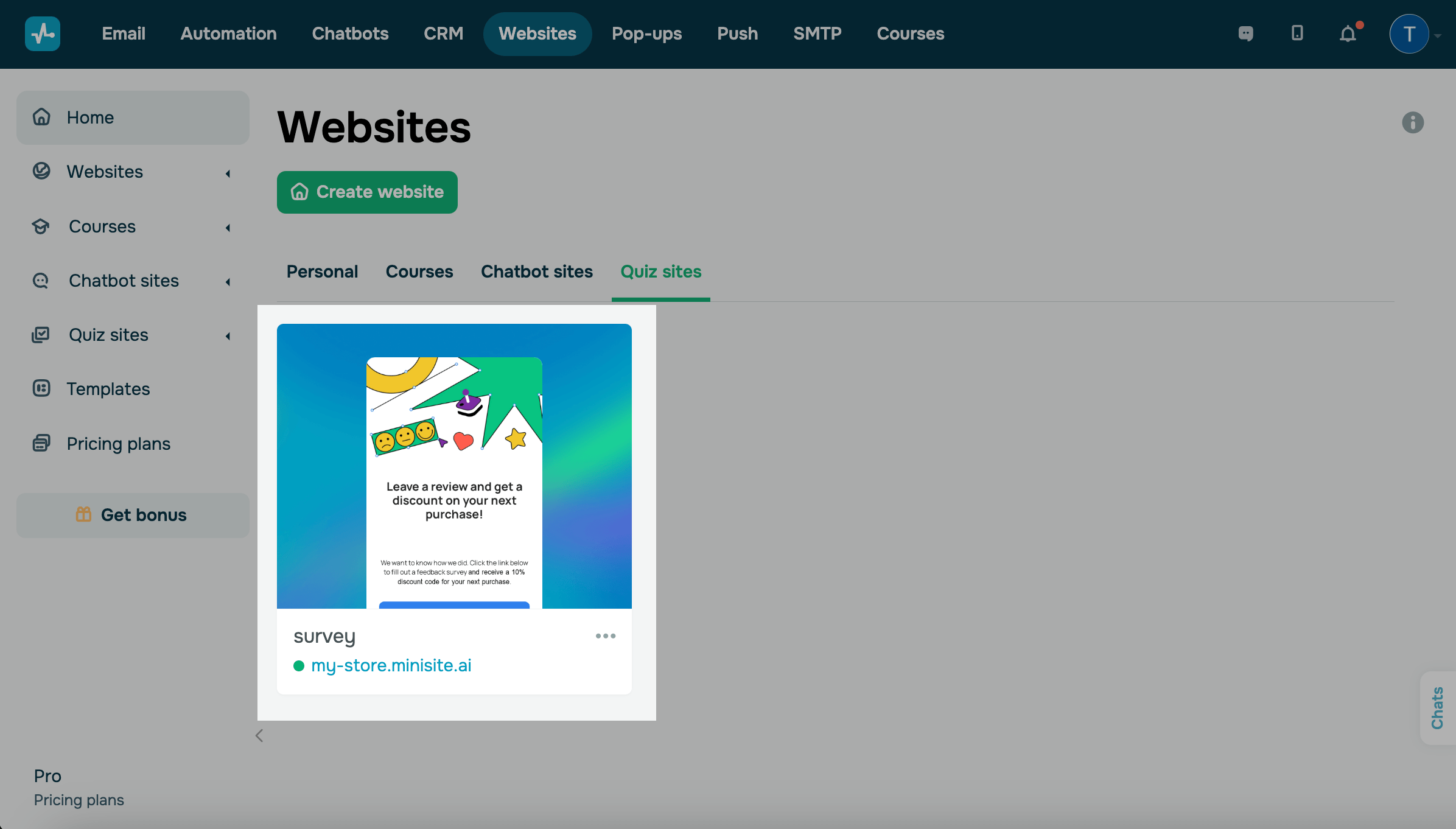
Edit your survey landing page
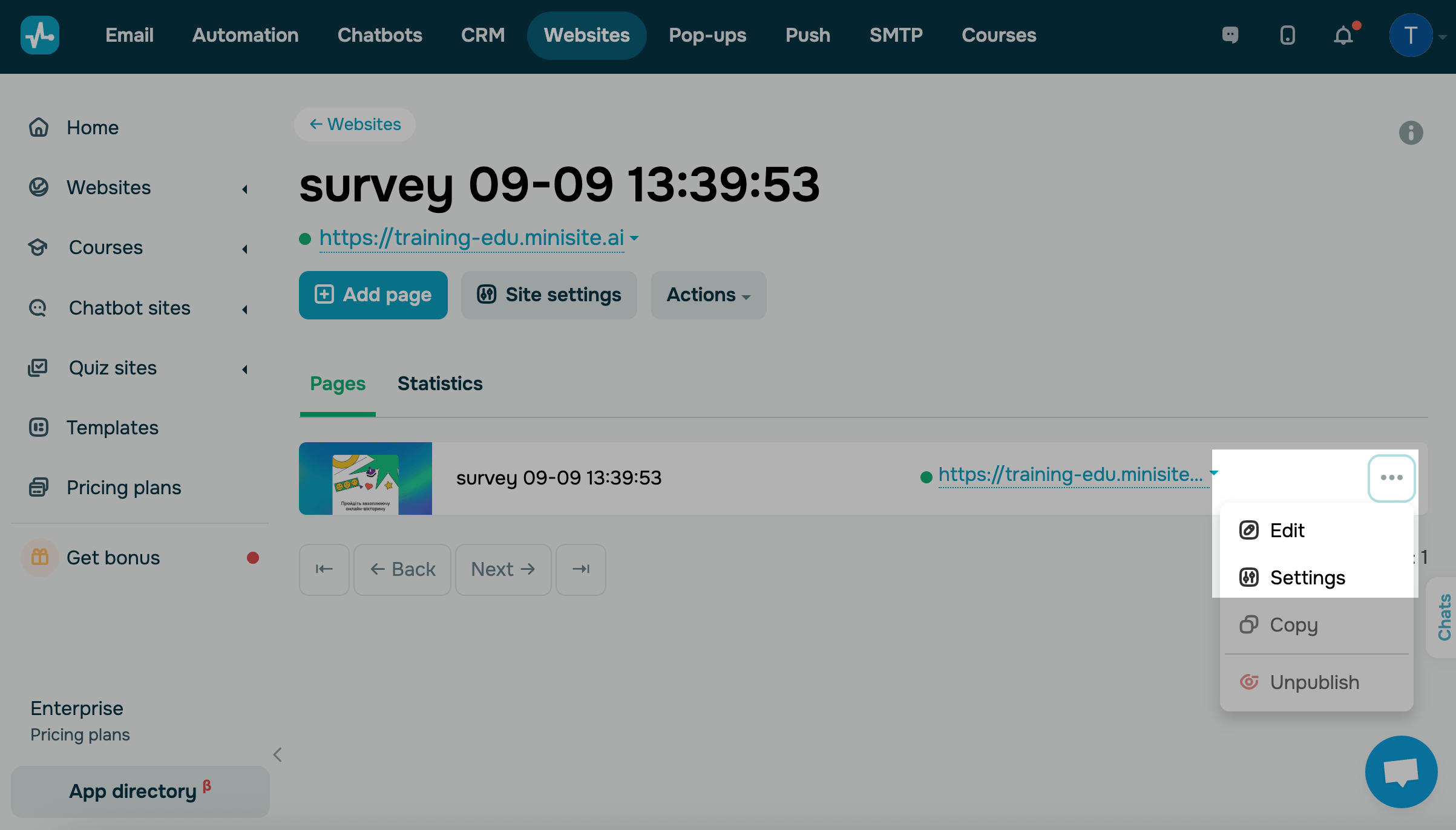
If needed, you can edit your landing page. To do this, go to the Websites section, open the Quiz sites tab, and find the page named after your survey.
| Edit | Opens the website builder, where you can update content, add elements, or adjust your landing page layout. |
| Settings | Opens the website settings, where you can change the landing page name and language and add SEO settings, including page title, meta description, and keywords. |
You can’t delete the survey landing page on its own. It will be removed automatically when you delete its linked pop-up.
Use your landing page link
You can also manage and share your landing page link. Click the link and choose an action:
| Visit your site | Opens the landing page in a new browser tab. |
| Copy link to | Copies the direct link to the landing page to your clipboard. |
| Save link as QR code | Generates a QR code that you can download as a PNG file. |

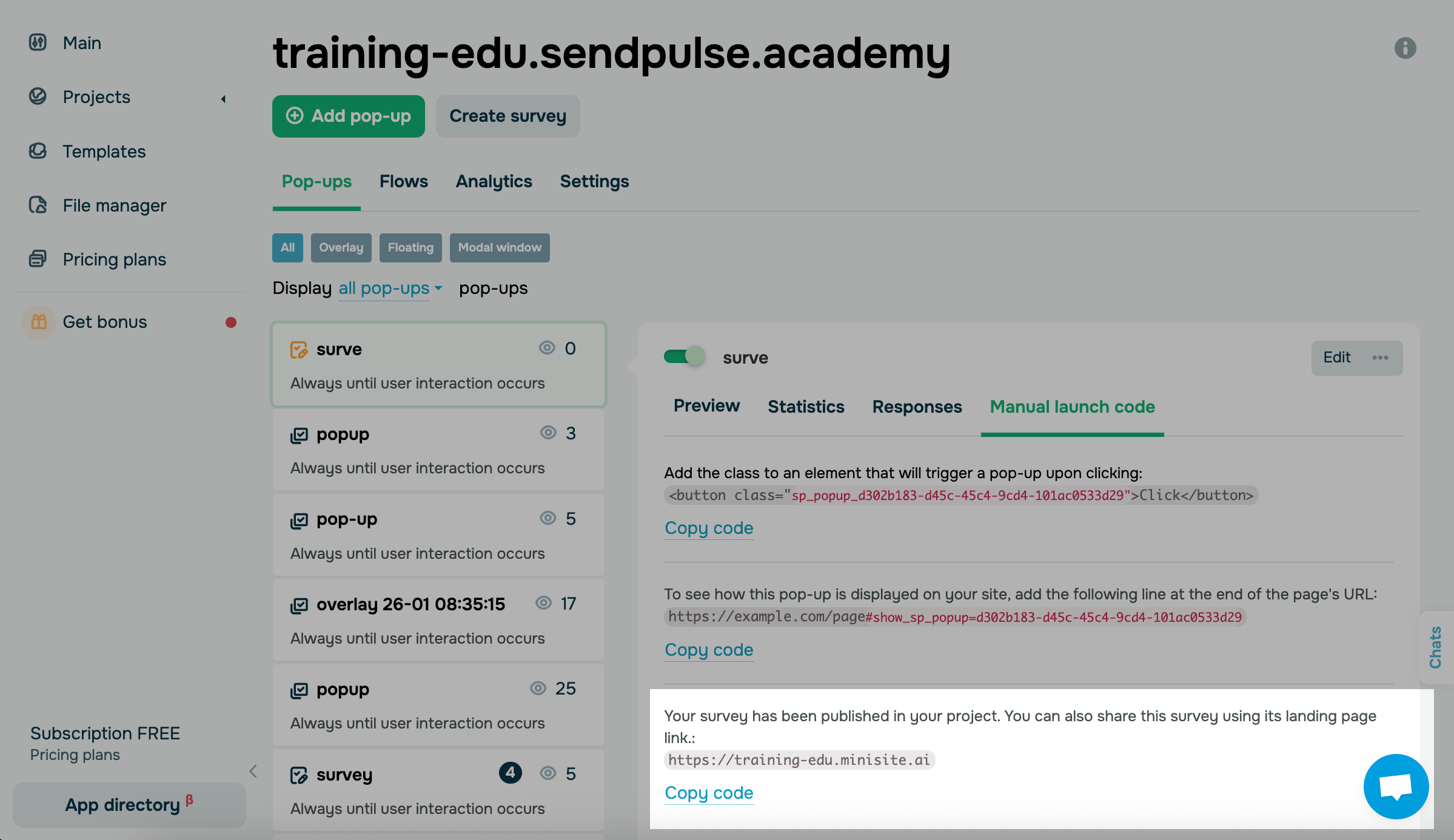
You can also find the link to your automatically generated landing page in Manual launch code.
Last Updated: 12.09.2025
or