Manage chatbot triggers
With SendPulse, you can create triggers and manage them whenever needed. Update their settings, remove outdated or unnecessary triggers, and add hints to help users find the right commands faster.
Let’s talk about how to manage your existing triggers.
Go to your chatbot and open Bot Structure > Triggers.
Edit a trigger
Select a trigger and click Edit the trigger.
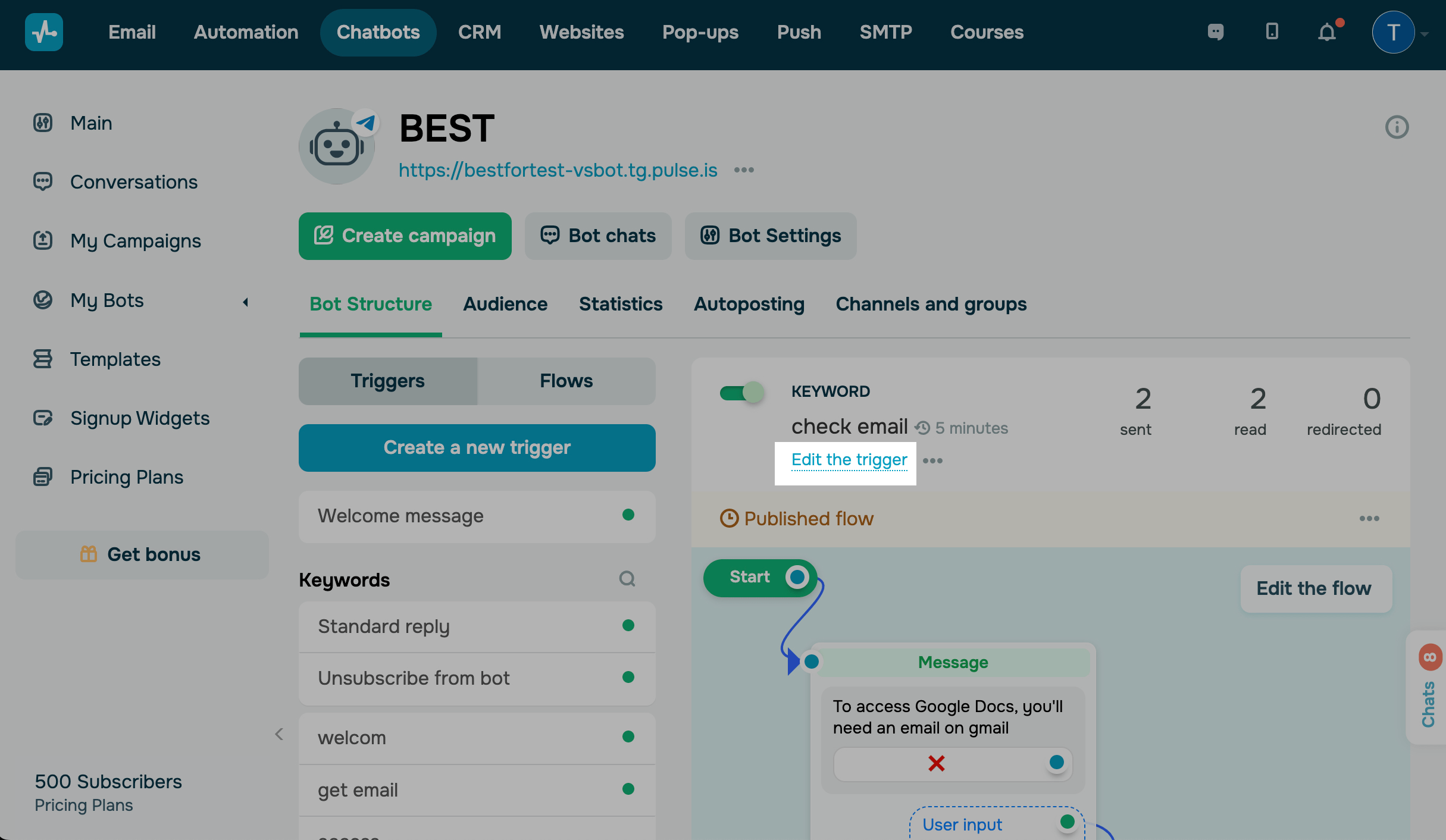
Make your changes and click Save.
Delete a trigger
Select a trigger. Click the three dots and select Delete the trigger.
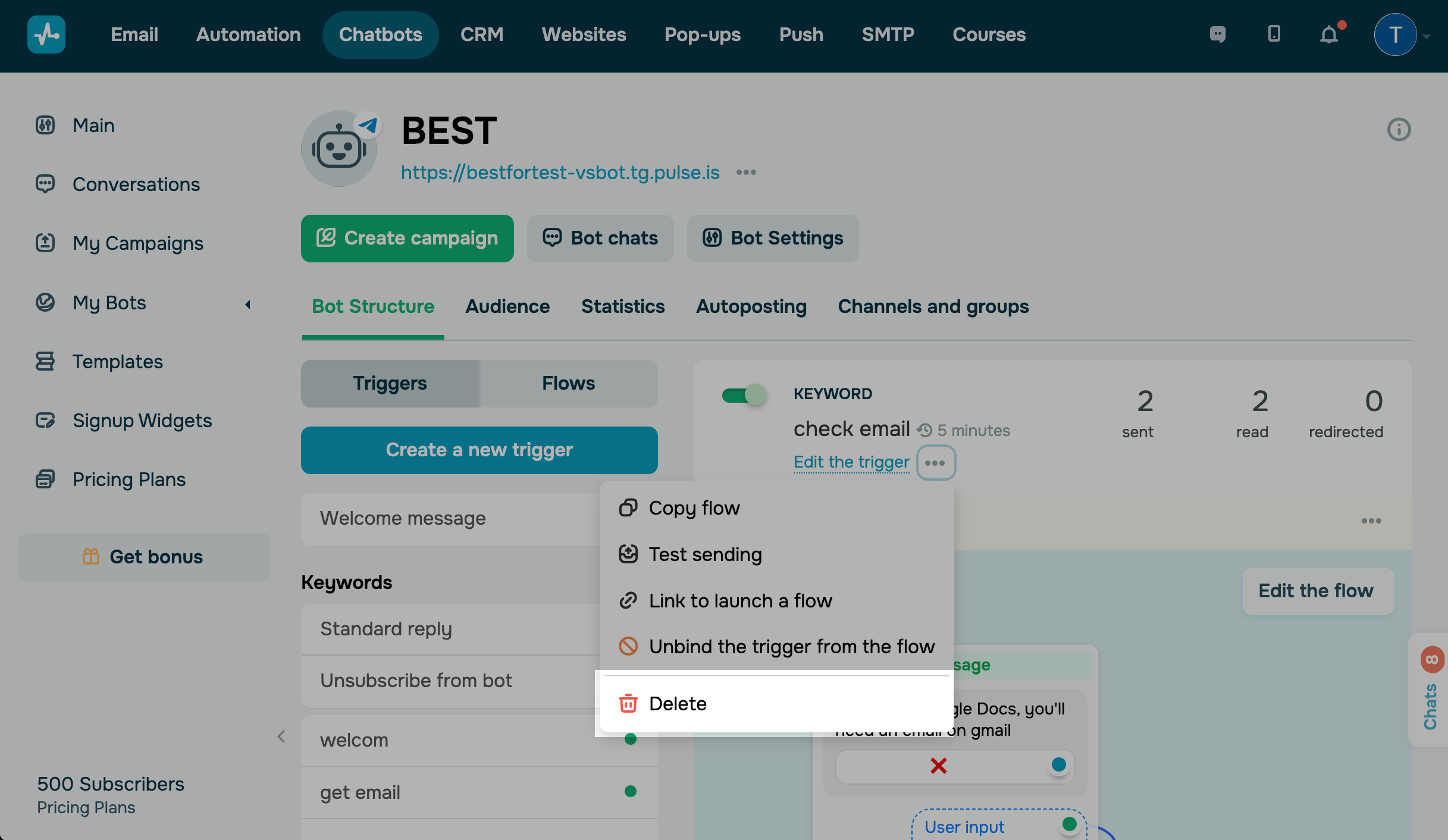
After you delete a trigger, you can find the flow that was linked to it in Saved flows.
Set up chatbot suggestions
If a user enters a part of a keyword linked to your command, your chatbot will suggest prompts, such as a button with your trigger’s name. When the user clicks this button, your flow will run.
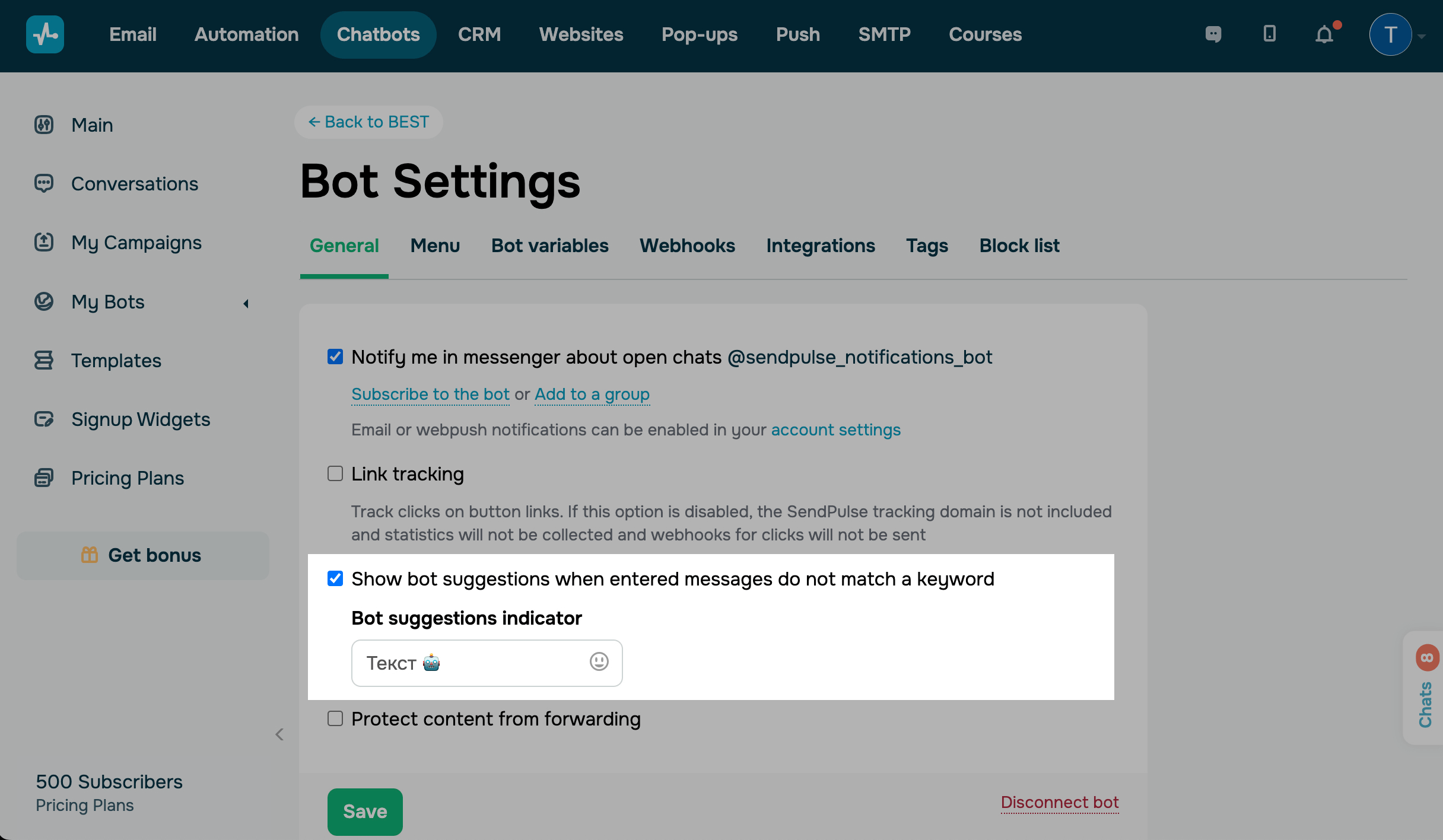
Users can receive messages with a chatbot suggestion indicator that appears under quick reply buttons, meaning that your chatbot is waiting for a message. To customize this indicator, go to your chatbot settings in the General tab, and enter a value in the Bot suggestions indicator field.
To disable chatbot suggestions, clear the Show bot suggestions when entered messages do not match a keyword checkbox.
Last Updated: 25.11.2025
or