Allow students to copy course content
In SendPulse’s course builder, you can allow students to copy your lesson text, such as guidelines, formulas, or theories. This helps learners easily transfer information to their own notes.
In this article, we will talk about how to allow content copying in lesson text.
Open the course builder and go to your lesson. Add the Text element or click an existing one.
On the right, turn on the Give the ability to copy a text block toggle.
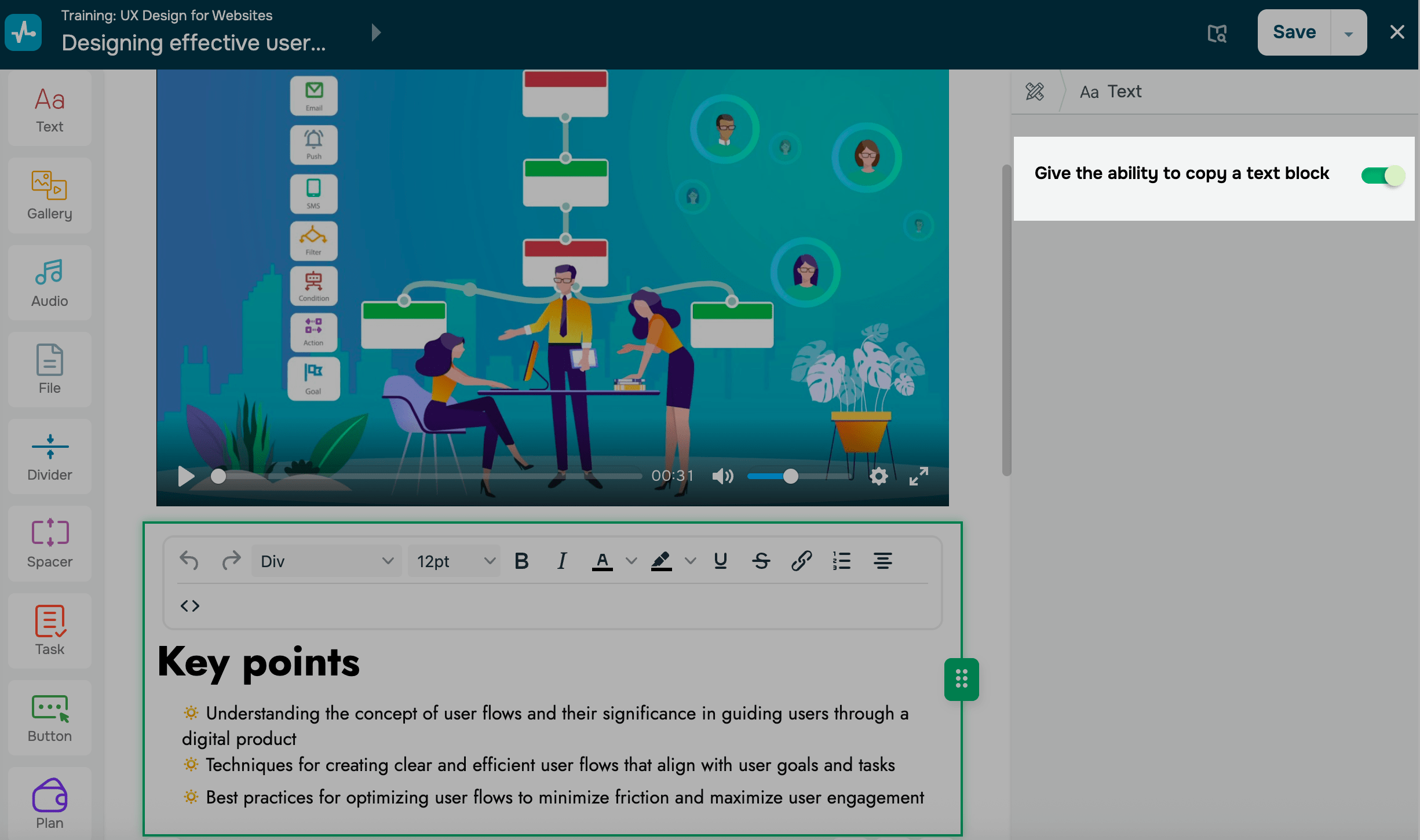
Click Save.
In student accounts, the Copy button will appear above this text element. When a student clicks it, its entire content will be copied to their clipboard.
Last Updated: 16.12.2025
or