Delete a student account
In line with data privacy laws, the profile owner (student) may delete their account and associated data.
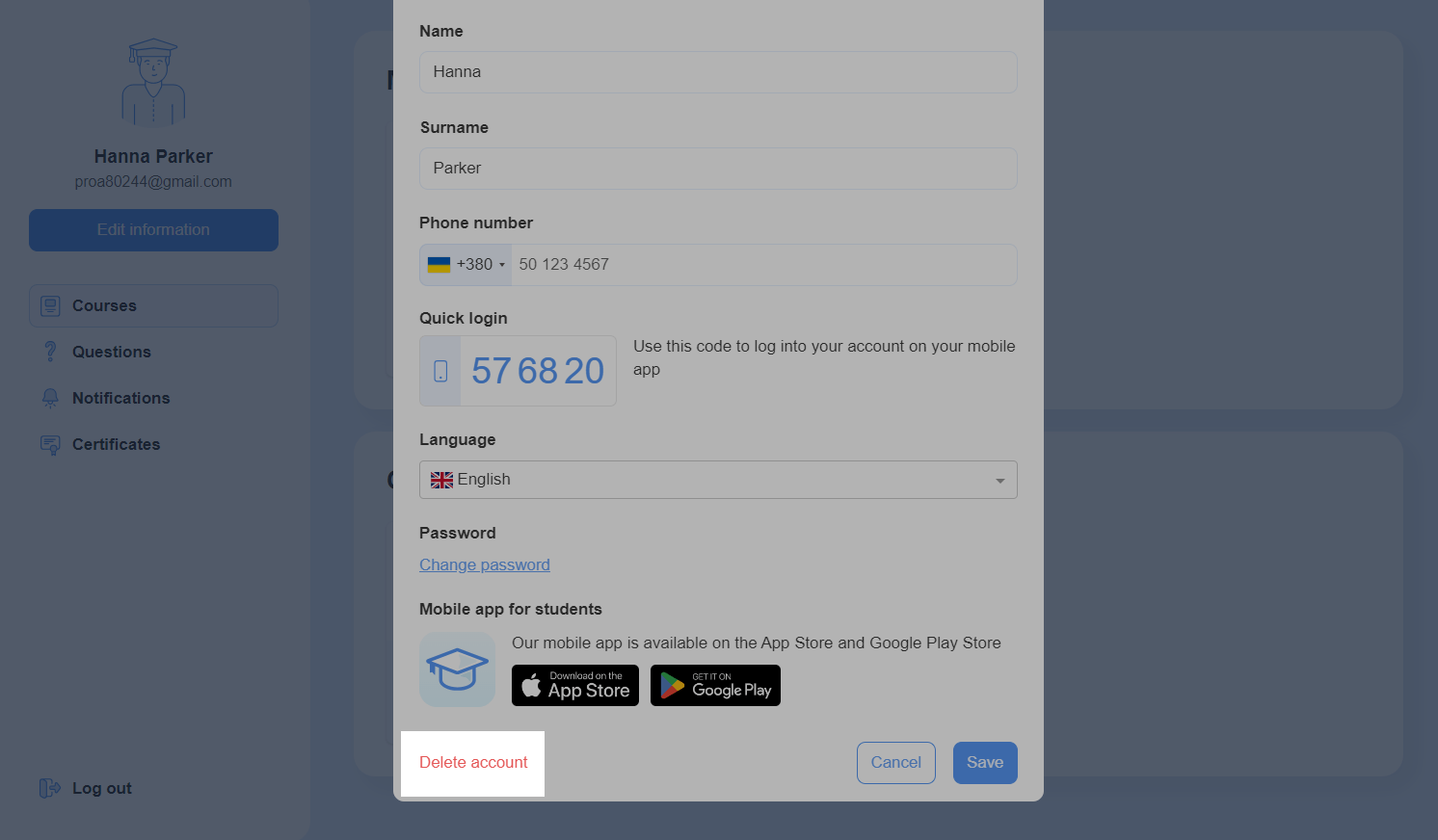
To delete an account, click Edit information in the left panel of the student account. Scroll down, and click Delete account.
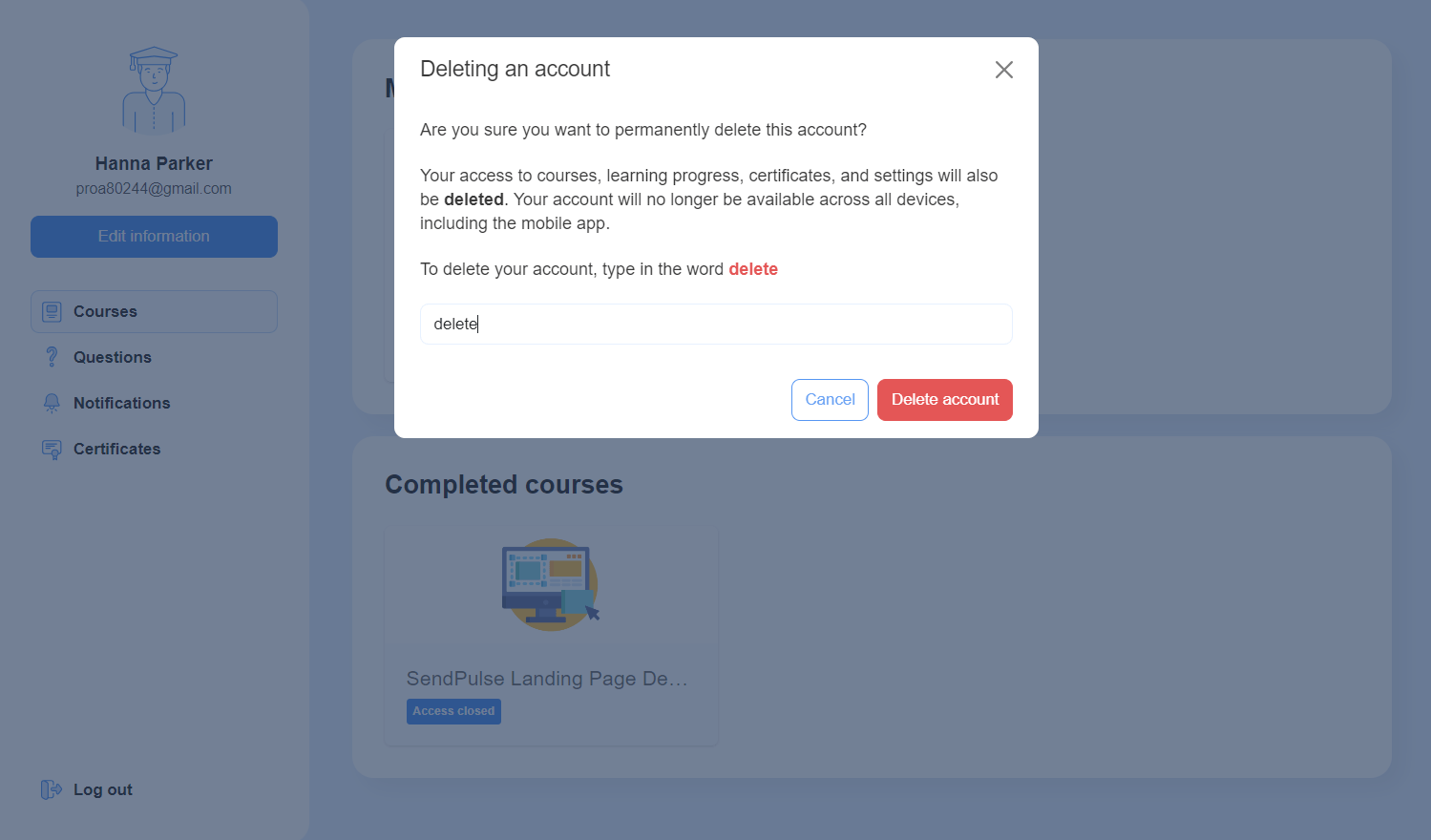
If a student deletes their account, their access to courses, learning progress, certificates, and personal settings will be permanently removed. Their student profile will no longer be available on all devices and the mobile app.
In the modal window, enter the delete command, and click Delete account.
Last Updated: 20.05.2025
or