











What is the SendPulse pixel?
The pixel is a code snippet you add to your website to track visitor actions and run automated flows or chatbot campaigns using predefined events.
To give you an idea, you can easily monitor when a subscriber lands on a product page from your email campaign and adds the product to their cart. If they pause for 30 minutes without moving to checkout, the system automatically sends them an abandoned cart reminder in your chatbot.
With the SendPulse pixel, you can:
-
 Send timely, relevant messages through email, browsers, or messaging apps.
-
 Create dynamic segments based on user behavior.
-
 Move leads through pipelines automatically — no manual effort required.
-
 Boost conversions with targeted messaging.


Track the data that drives smarter marketing
User engagement
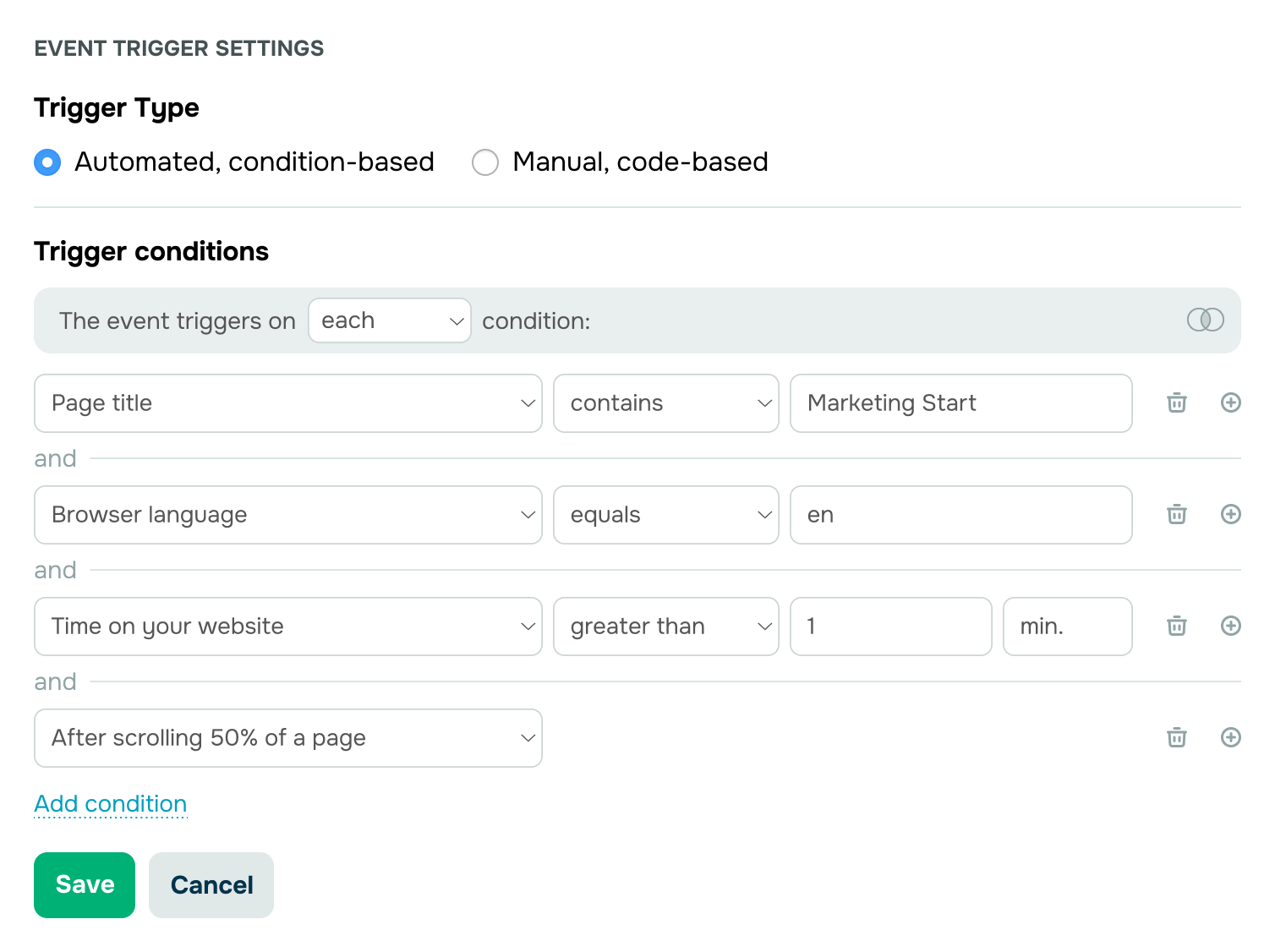
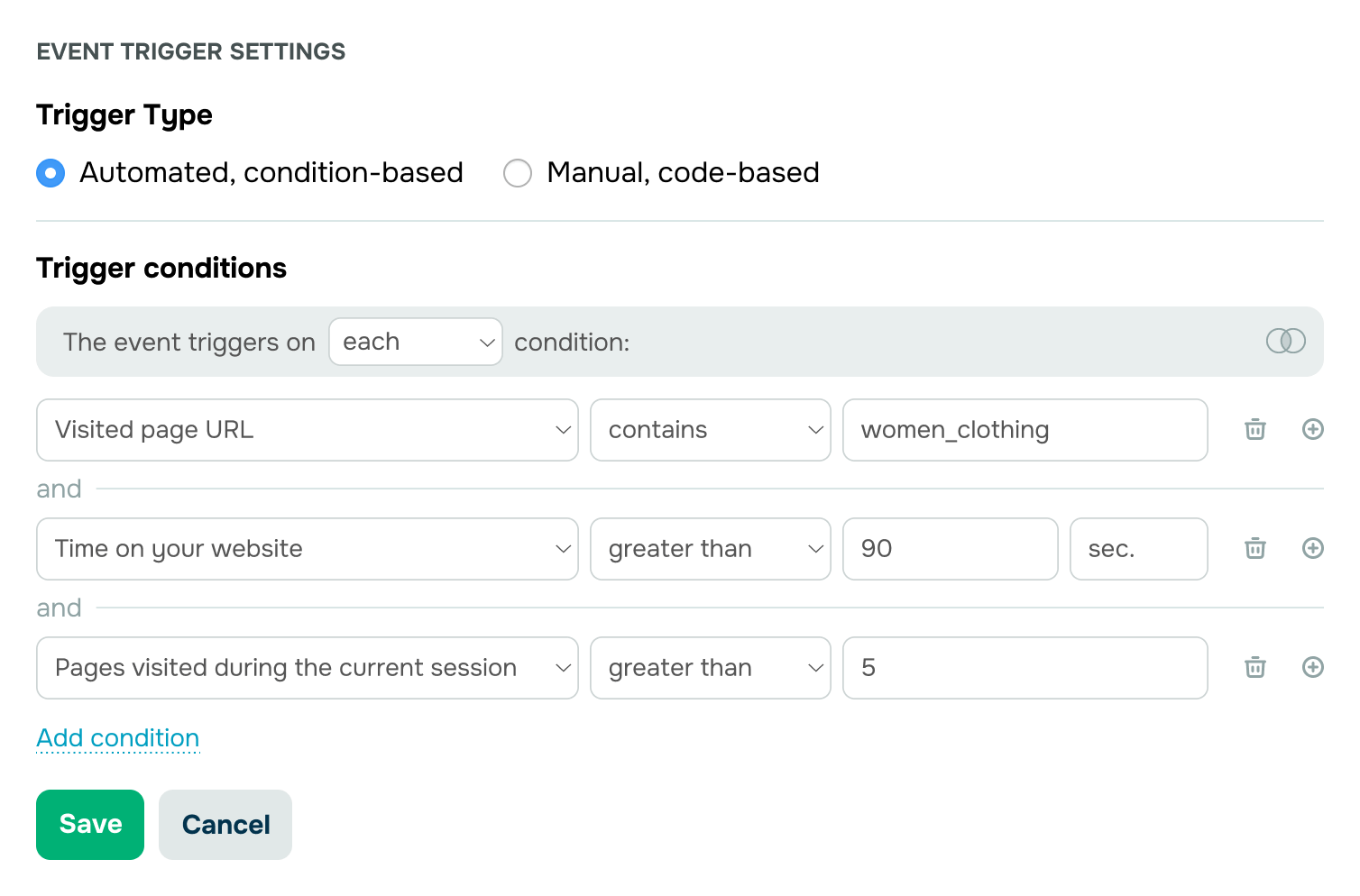
Time spent on a website or specific page
50% page scroll depth
On-page inactivity time
Exit-intent detection
Product interest
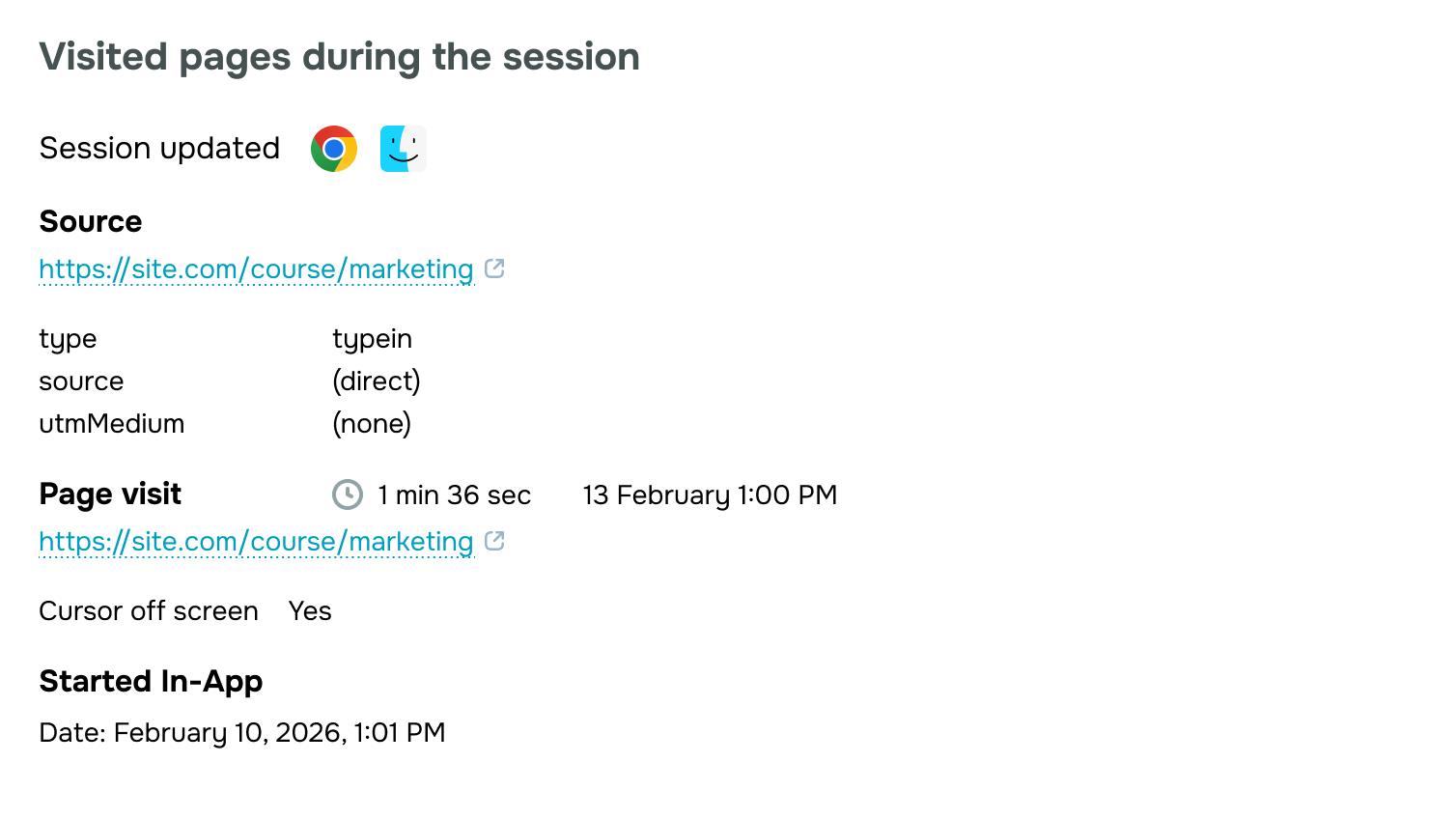
Page visits with specific links or titles
Total pages viewed
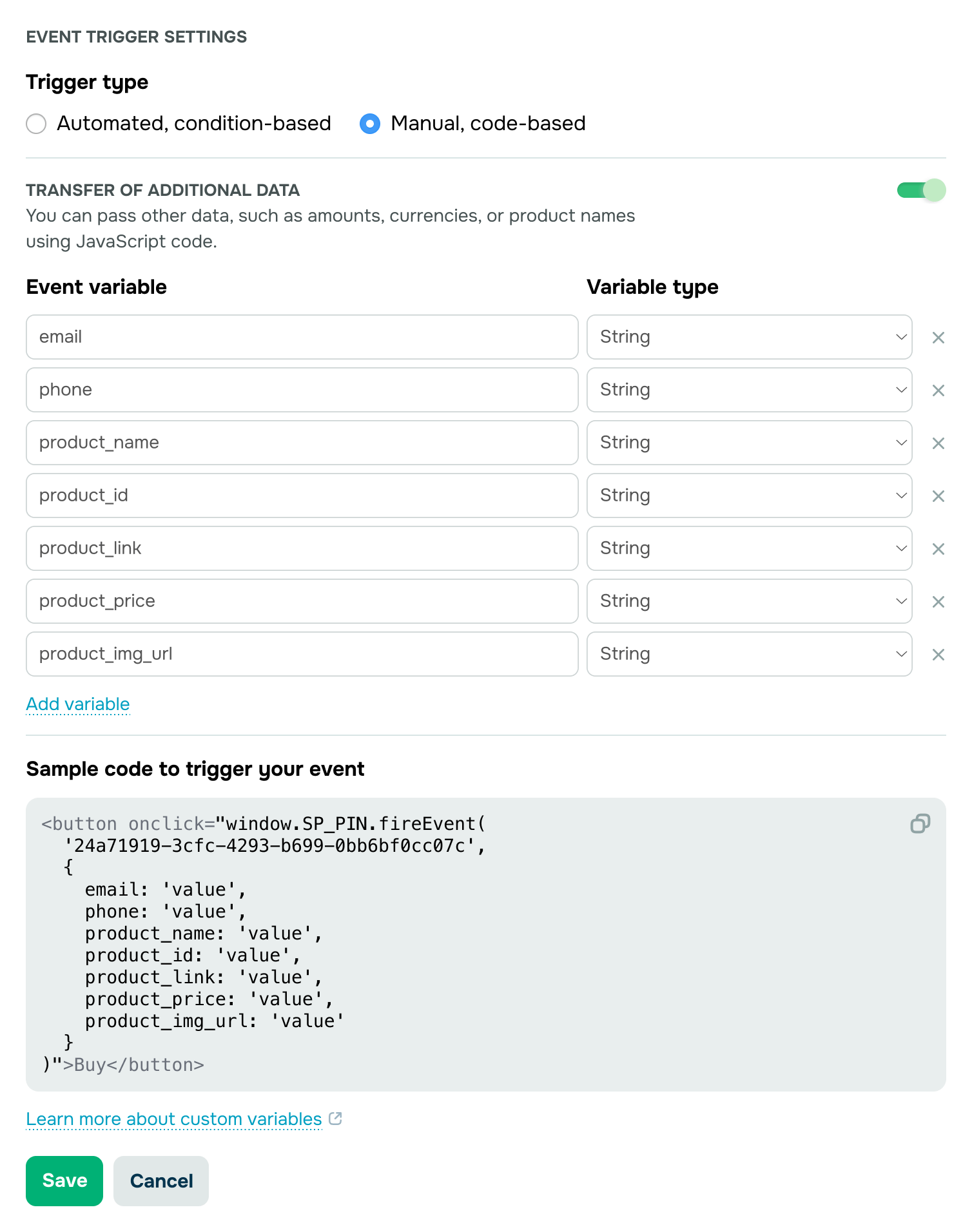
On-site button clicks
Form fill-outs and submissions
Visitor details
Browser type and language
Device location
Website traffic source
Local time zone
Time and UTM
Specific timeframe or date range
Day of the week
Specific event frequency
UTM parameters
Connect insights to action with the SendPulse pixel
Align communication, marketing, and sales workflows with your business goals.
Keep the conversation going long after users take a target action
Engage your audience in response to their activity.
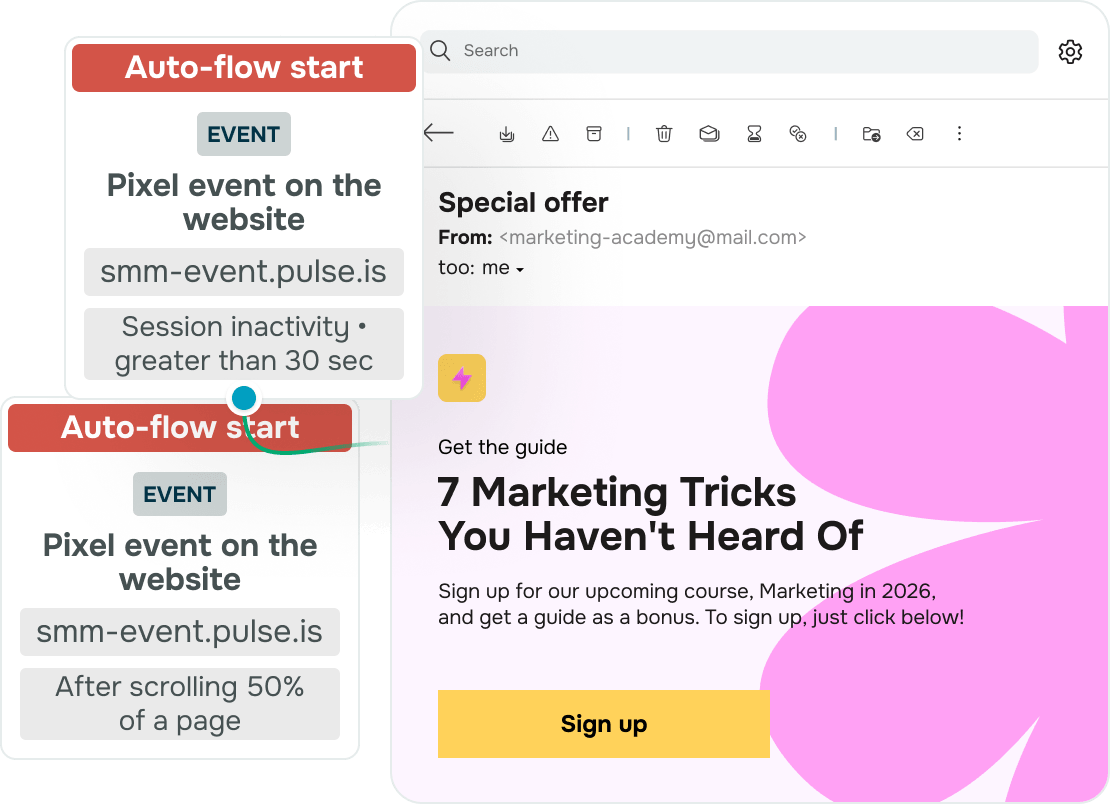
Build automated campaigns
Automatically send personalized messages through users’ preferred platforms once they take target actions on your website.
Set up re-trigger frequency, stop flows based on predefined events, and mark them as conversions.
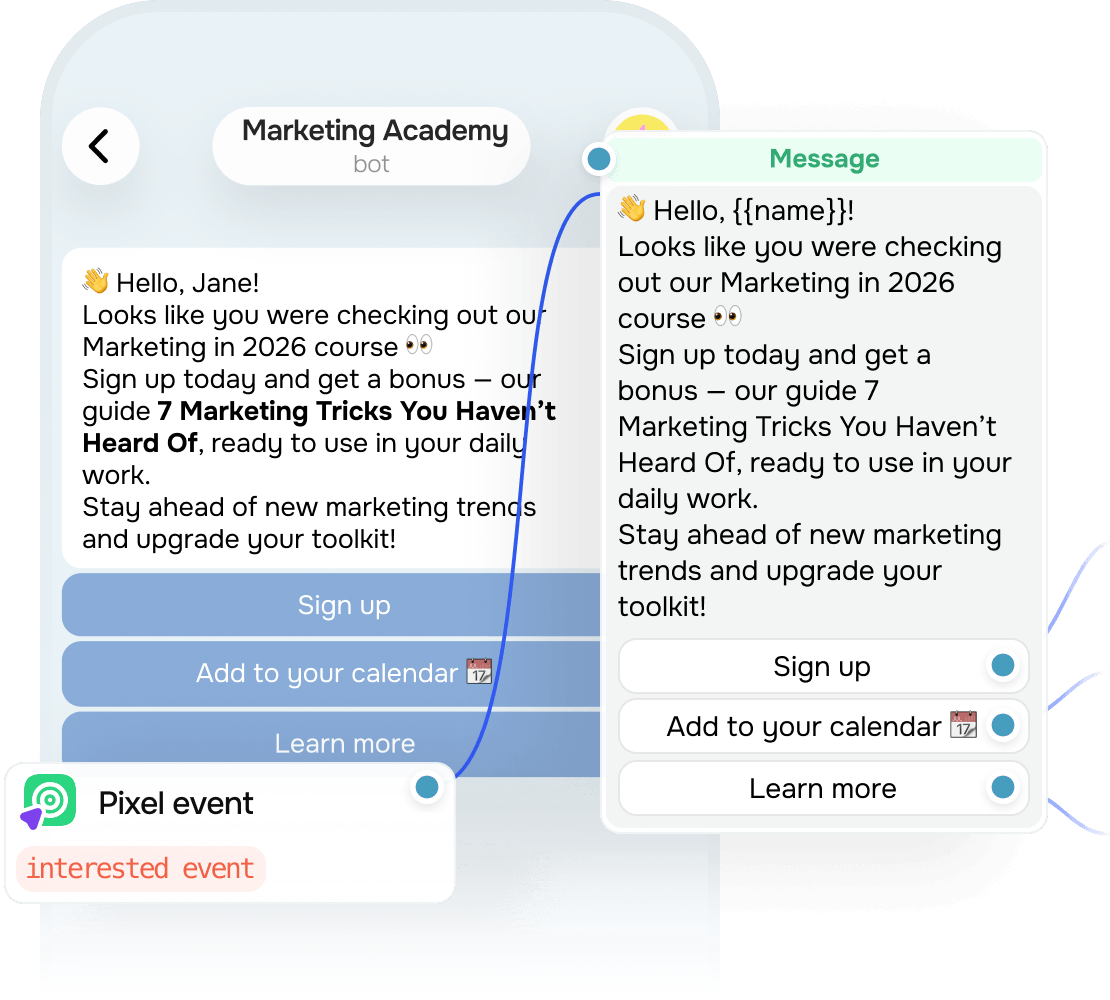
Run chatbot flows
Let your chatbot start conversations with its subscribers when a pixel event is triggered on your website.
Stay present at the critical decision-making stage. Reinforce customer intent after they submit their order or contact info, and gently nudge undecided visitors to take action.
Get more from your SendPulse pixel

360° customer visibility
Track website visitor behavior, purchase history, and past interactions in a single contact card.

Smart personalization
Tailor your message content to every visitor’s interests and deliver highly relevant recommendations.

Streamlined workflow
Close deals automatically. Let the system move contacts through your sales pipeline all the way to conversion.

Fewer abandoned carts
Drive more orders without manual follow-ups and get more conversions from the same traffic.

Advanced marketing strategies
Refine your marketing approach and address gaps based on user actions instead of guesswork.

Higher efficiency
Enhance your landing page performance with data-driven personalization.
How to install the SendPulse pixel on your website
-

Install pixel code on your website
Add the website where you plan to track events. For SendPulse-powered websites, the code is added automatically. For third-party websites, paste it manually or use Google Tag Manager. Make sure the installation is successful. -
Create events to track
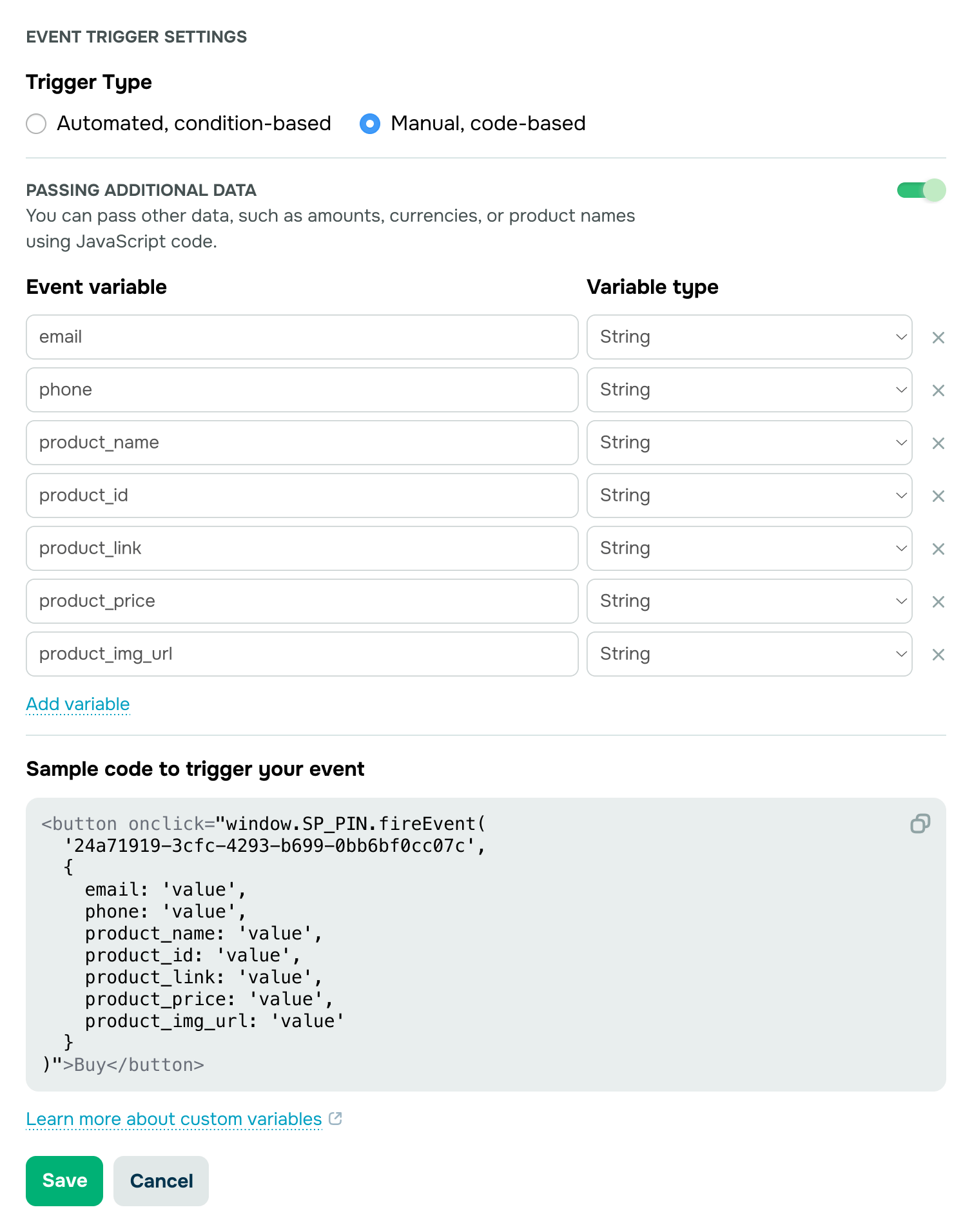
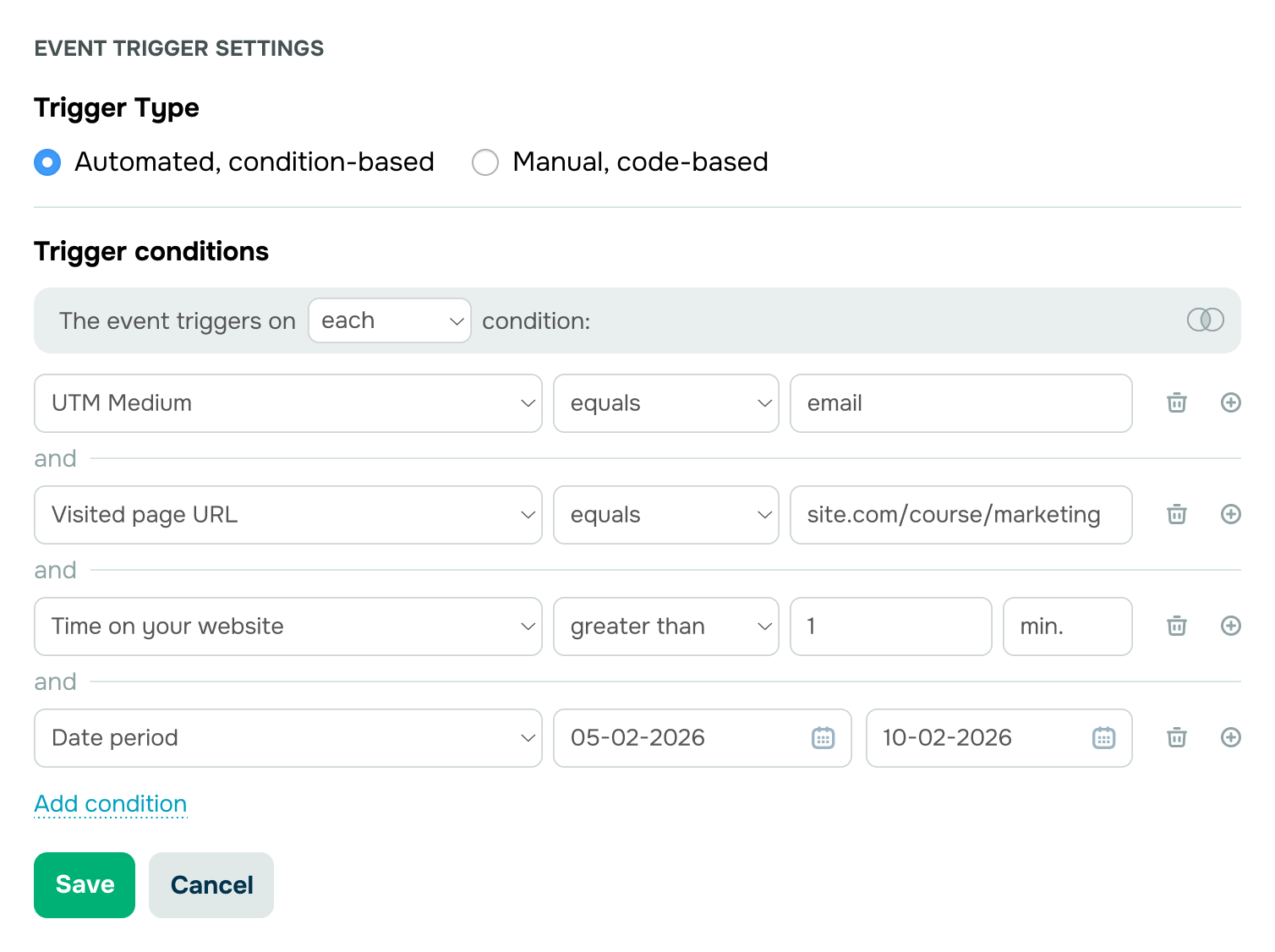
Select the trigger condition you want to track, like a user visiting a specific page or a customer’s browser language. Then enter your trigger value.
To use multiple values in one condition or link alternative conditions, use the operators “and,” “or,” “any,” and “all.”
-

Save and link to automated flows
Go over your event settings. If everything works as expected, save this event for future use.
You can link this event to your automated flow or chatbot campaign. When an identified subscriber takes a target action on your website, it will trigger your linked flow or chatbot campaign automatically.
FAQ
How is the SendPulse pixel different from cookies?
Both the pixel and cookies are triggered when someone visits a website, but they collect and process data differently.
Cookies are designed to personalize user experience and store key information, like users’ login credentials, language settings, or in-cart products. They are stored in the browser and are typically not shared with third-party platforms.
The SendPulse pixel captures visitor activity on your website, like pages viewed, time spent on your website, button clicks, and form submissions. SendPulse then uses this information to help you create targeted interactions through chatbots or email campaigns.
Does pixel-based tracking comply with data privacy laws?
The SendPulse pixel fully meets data protection laws, including GDPR. Just make sure the pixel remains blocked until a user gives their consent.
Why should I use the SendPulse pixel?
The SendPulse pixel links your website to automated sales pipelines and powers personalized, cross-channel interactions. Our budget-friendly plans allow small and medium-sized businesses to track events with no coding and scale their growth affordably. As hyper-personalized communication becomes the new standard, having a pixel on your website is a strategic step toward staying competitive.
Can visitors stay “invisible” to the SendPulse pixel?
SendPulse offers a built-in tool that checks your pixel installation and helps prevent this.
In some cases, ad blockers or Apple Safari’s Intelligent Tracking Prevention (ITP) may limit tracking. Still, the share of untracked users is minimal.
How quickly can I install the SendPulse pixel?
Setup usually takes no more than 10 minutes. Create a SendPulse account, head over to the “Automation” section, open the “Pixel” tab, click “Add website,” and follow the on-screen instructions.
Do I need coding experience to set up a pixel?
No. Our detailed guide makes the setup process clear and beginner-friendly. And if you’d rather save time, you can always hire a certified SendPulse expert to take care of it for you.
Can I get support?
Naturally! Our support team is here for you 24/7. If you have any questions, start a live chat or submit a form.
Can I try the SendPulse pixel for free before purchasing a plan?
Yes. Simply create a SendPulse account, and you’ll be able to use the pixel for free to track visitor activity and send targeted chatbot and email campaigns at any time.
You can track up to 1,000 events each month at no cost or upgrade to a paid plan to unlock the pixel's full potential with unlimited event tracking.
Start tracking with the SendPulse pixel
Plug your website into an automated sales pipeline and make the most of your existing traffic.
Install a pixel
or