Billing Sync for Stripe
Turn Stripe Billing into live CRM data. Every Stripe subscription becomes a SendPulse CRM deal with its status, plan, MRR and billing dates, and every customer becomes a contact. Deals update within a minute of any change in Stripe, so you can automate trial reminders, dunning and win-back. Stripe access is read-only.
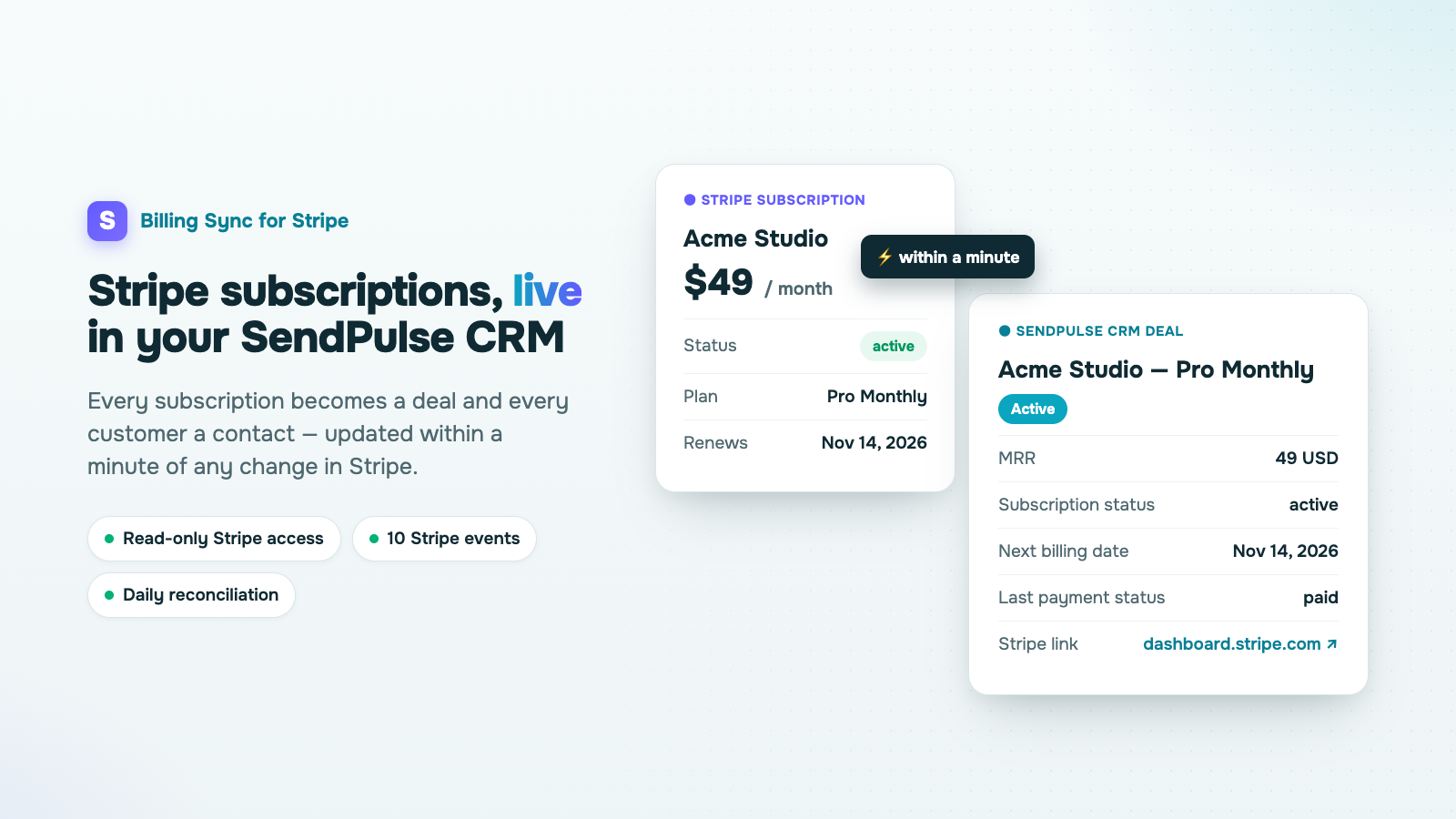
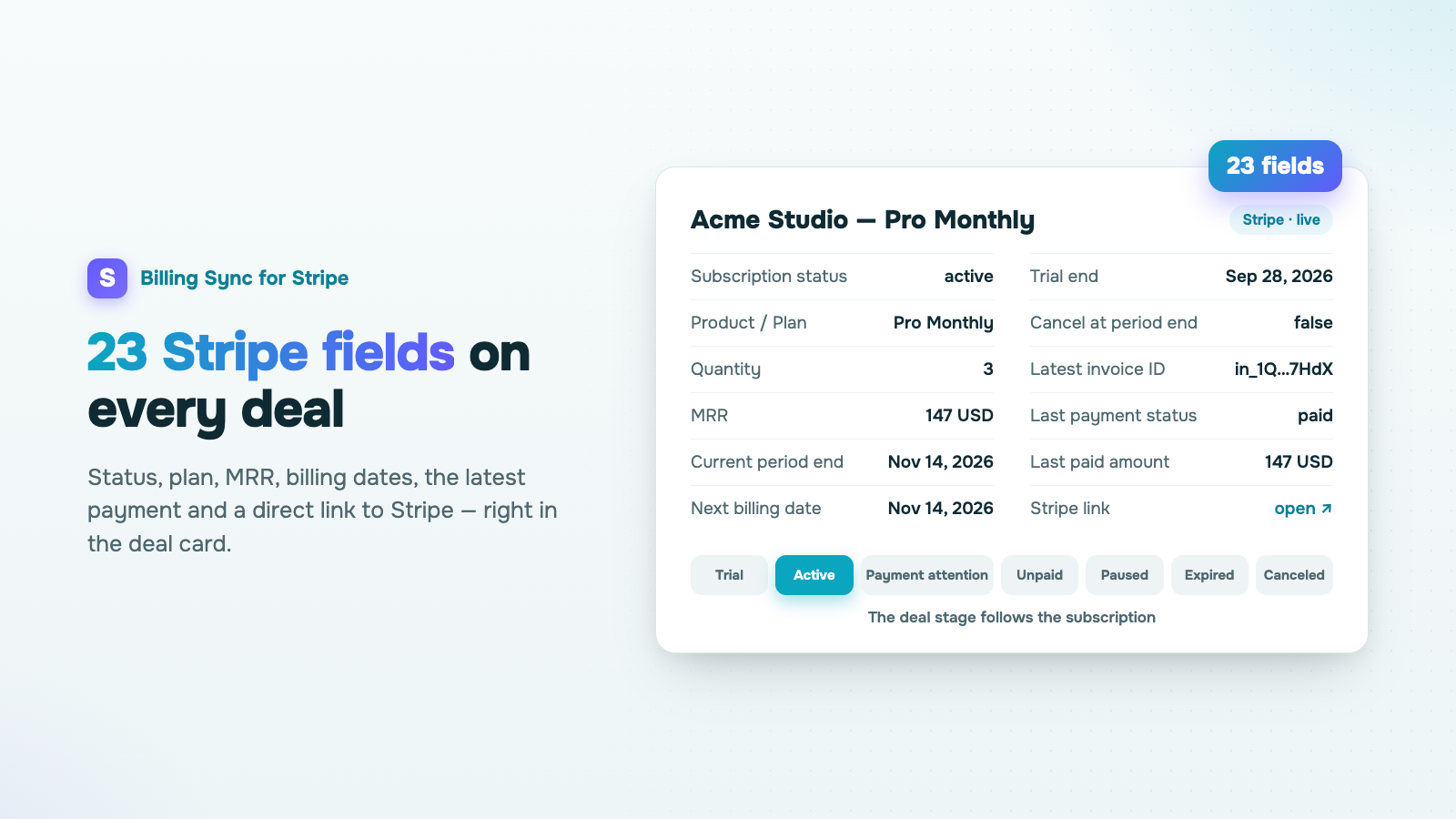
- One deal per subscription with 23 Stripe fields: status, plan, quantity, MRR, currency, billing period, next billing date, trial end, cancellation, latest invoice and payment, and a direct link to the subscription in Stripe.
- Customers become contacts, matched by email and attached to their deals. A deal you rename or move to your own stage stays as you left it.
- The deal stage follows the subscription: Trial, Active, Payment attention, Unpaid, Paused, Expired, Canceled. The app creates the stages and fields for you.
- Real-time updates from 10 Stripe events, plus a daily reconciliation that catches anything missed. Deals that already match Stripe are not rewritten.
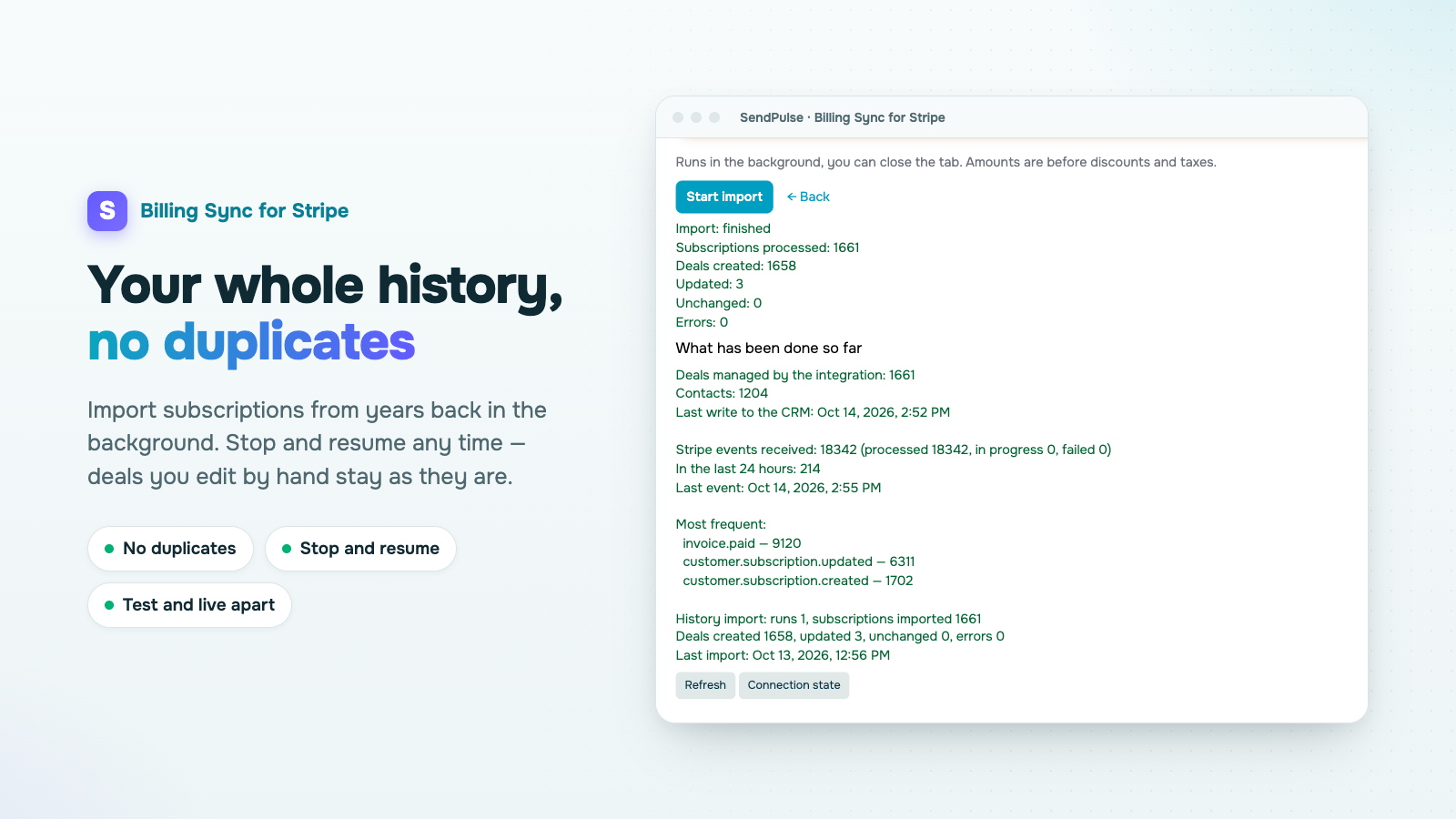
- Full history import, including subscriptions cancelled years ago. It runs in the background, can be stopped and resumed, and never creates duplicates.
- Several Stripe accounts in one CRM, with test and live mode kept apart.
- Read-only by design: the app never creates charges, never changes subscriptions and never sees card data.
- Setup wizard in 11 languages, in the light or dark theme of your account.
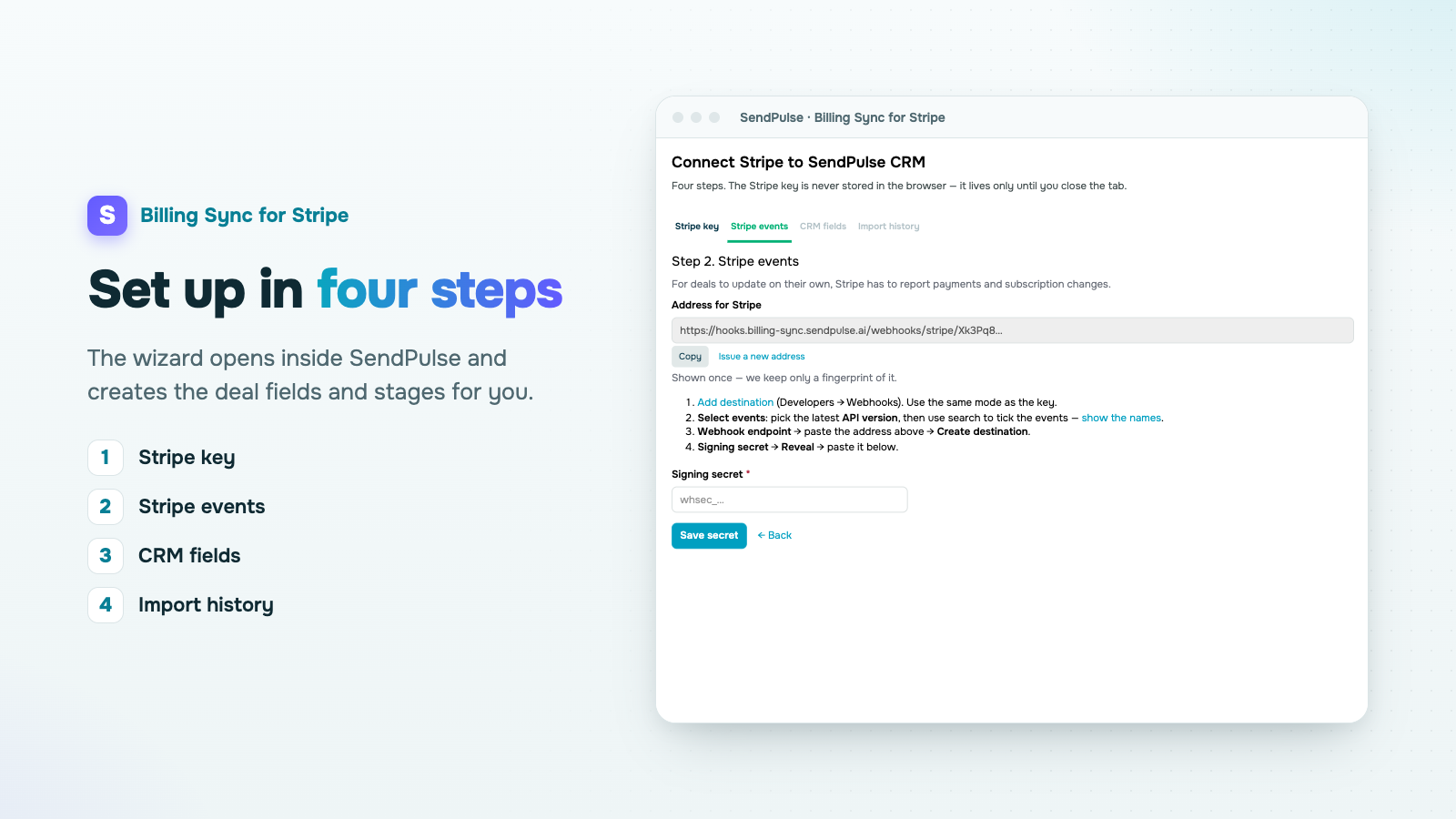
- Install the app. The setup wizard opens inside your SendPulse account.
- In Stripe, create a restricted key with Read access to Subscriptions, Products, Prices, Invoices and Customers, and paste it into the wizard. You can start in test mode: test and live data never mix.
- In Stripe, add a webhook destination with the address from the wizard, select the 10 events it lists and paste the signing secret back into the wizard.
- Pick a CRM pipeline. The app creates the stages and deal fields itself.
- Start the history import. From then on, deals stay current on their own.
To disconnect, remove the connection in the wizard or uninstall the app: syncing stops at once. Deals and contacts already in your CRM stay with you.





or