Antigravity AI IDE
Antigravity is Google's development platform where AI agents can plan, run, and verify complex tasks on their own, based on your instructions. Connect the MCP server to Antigravity and let AI take over part of your work across SendPulse tools.
What Antigravity can do
A familiar interface for developers. Antigravity is built on Visual Studio Code. If your team already works in this editor, connecting the MCP server and managing SendPulse tools will fit naturally into your existing workflow.
AI models for different tasks. Antigravity supports Gemini, Claude, and other models. You can pick the one that fits a specific SendPulse task best.
How to connect the MCP server to Antigravity
Step-by-step instructions with screenshots are available in our knowledge base.
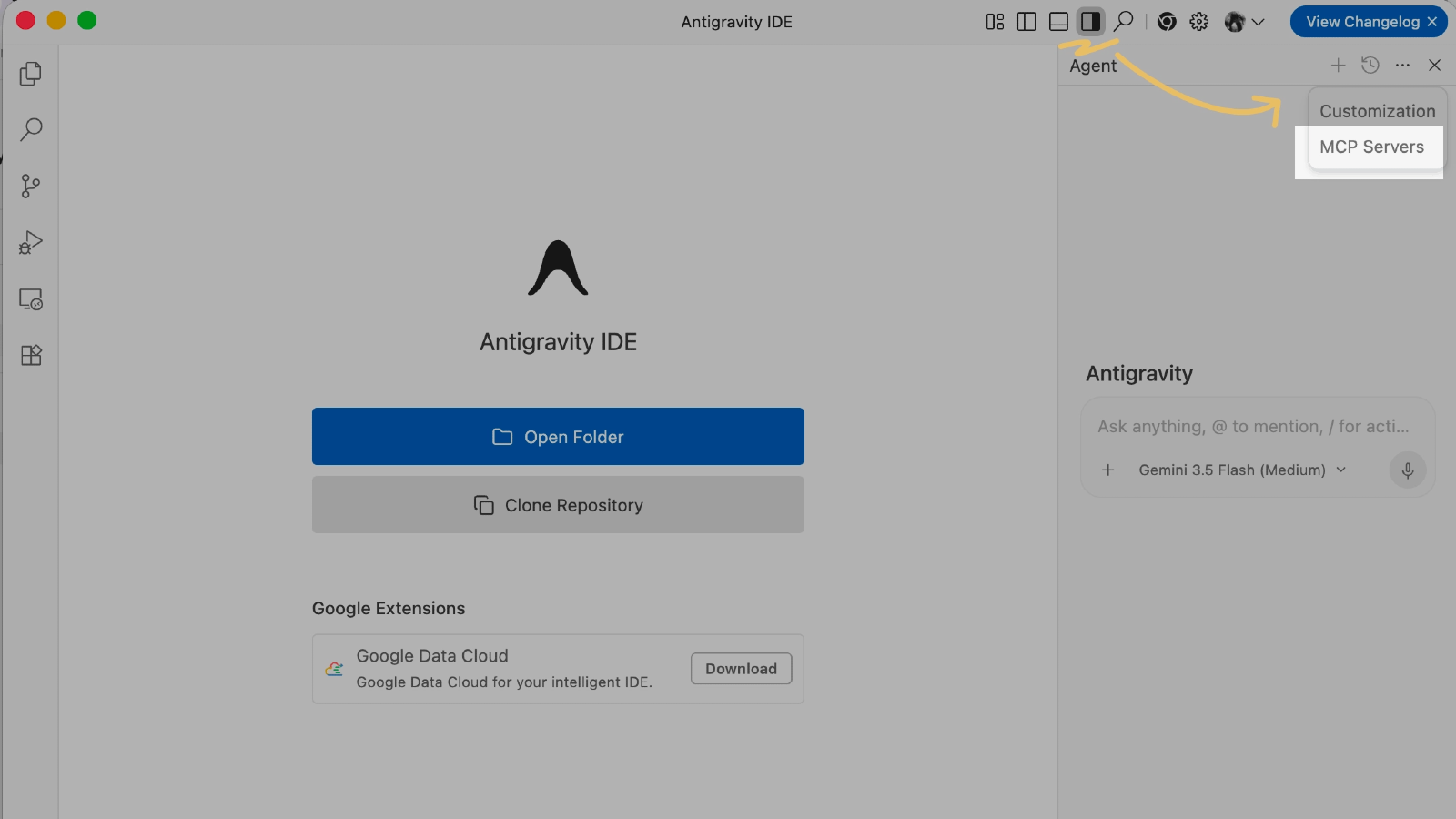
Launch Antigravity and click Toggle Agent in the top right corner to open the agent panel.
In the agent panel, click the three dots → Additional Options.
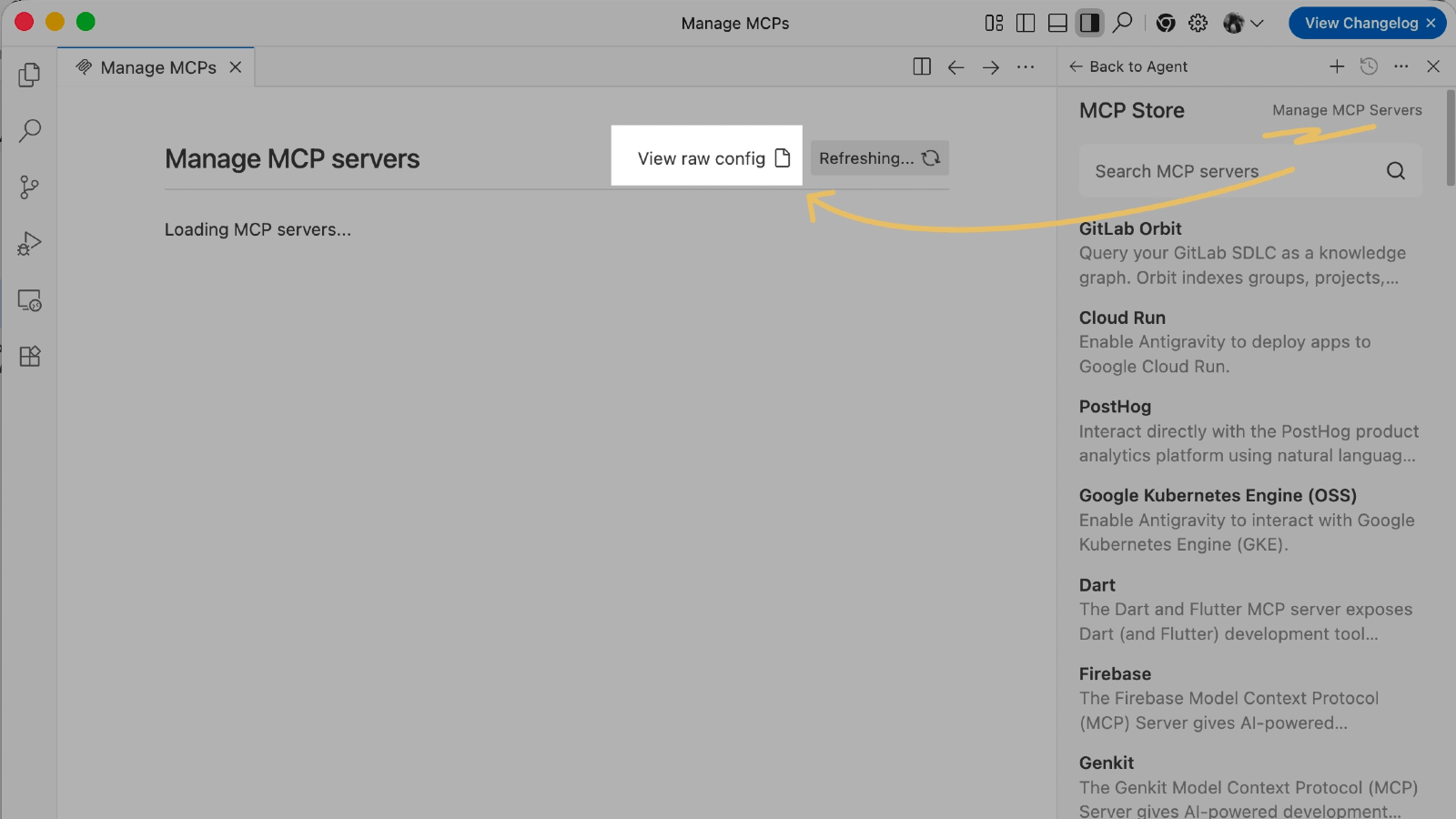
Select MCP Servers in the menu and click Manage MCP Servers.
On the Manage MCP Servers page, click View raw config to open your MCP configuration file in the editor.
In your SendPulse account, copy the MCP Server URL: account settings → API → MCP.
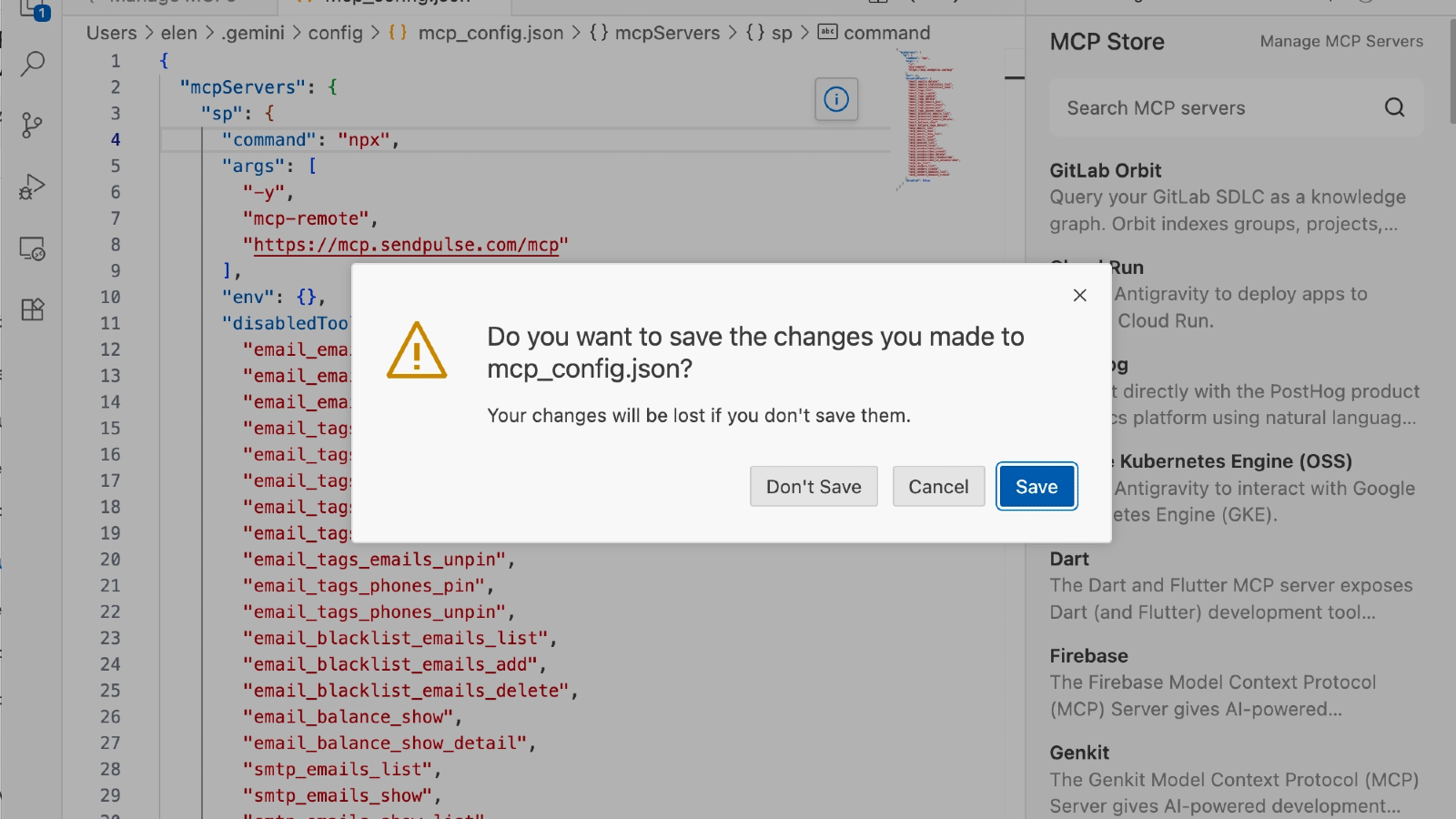
In the configuration file you just opened, add an entry for the SendPulse MCP server and paste in the URL you copied.
Save your changes with Ctrl+S on Windows or Cmd+S on macOS.
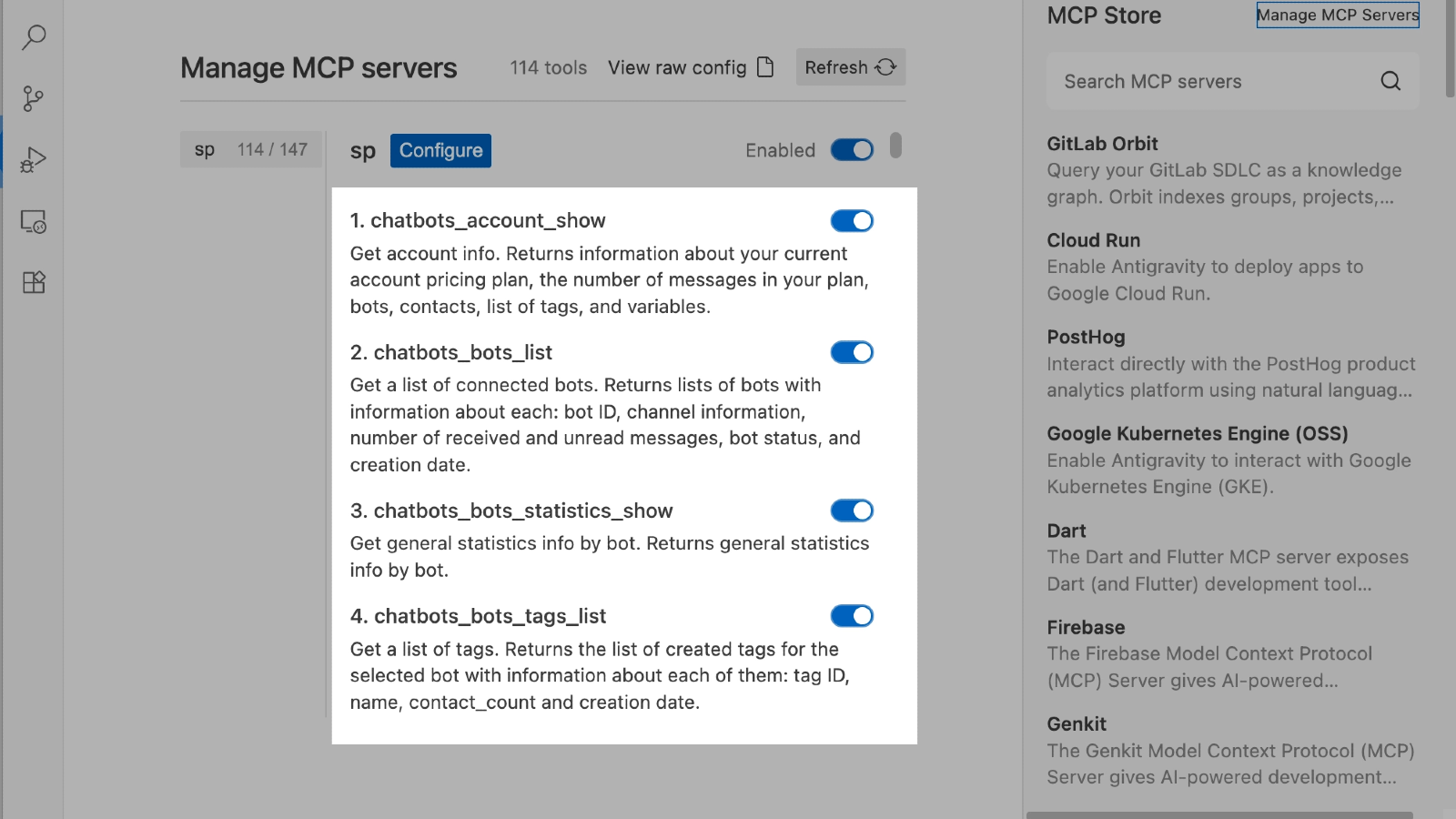
Close the configuration tab and click Refresh on the Manage MCP Servers page.
The SendPulse login page opens. Sign in to your account and grant the required permissions.
On the Manage MCP Servers page, click Back to Agent.
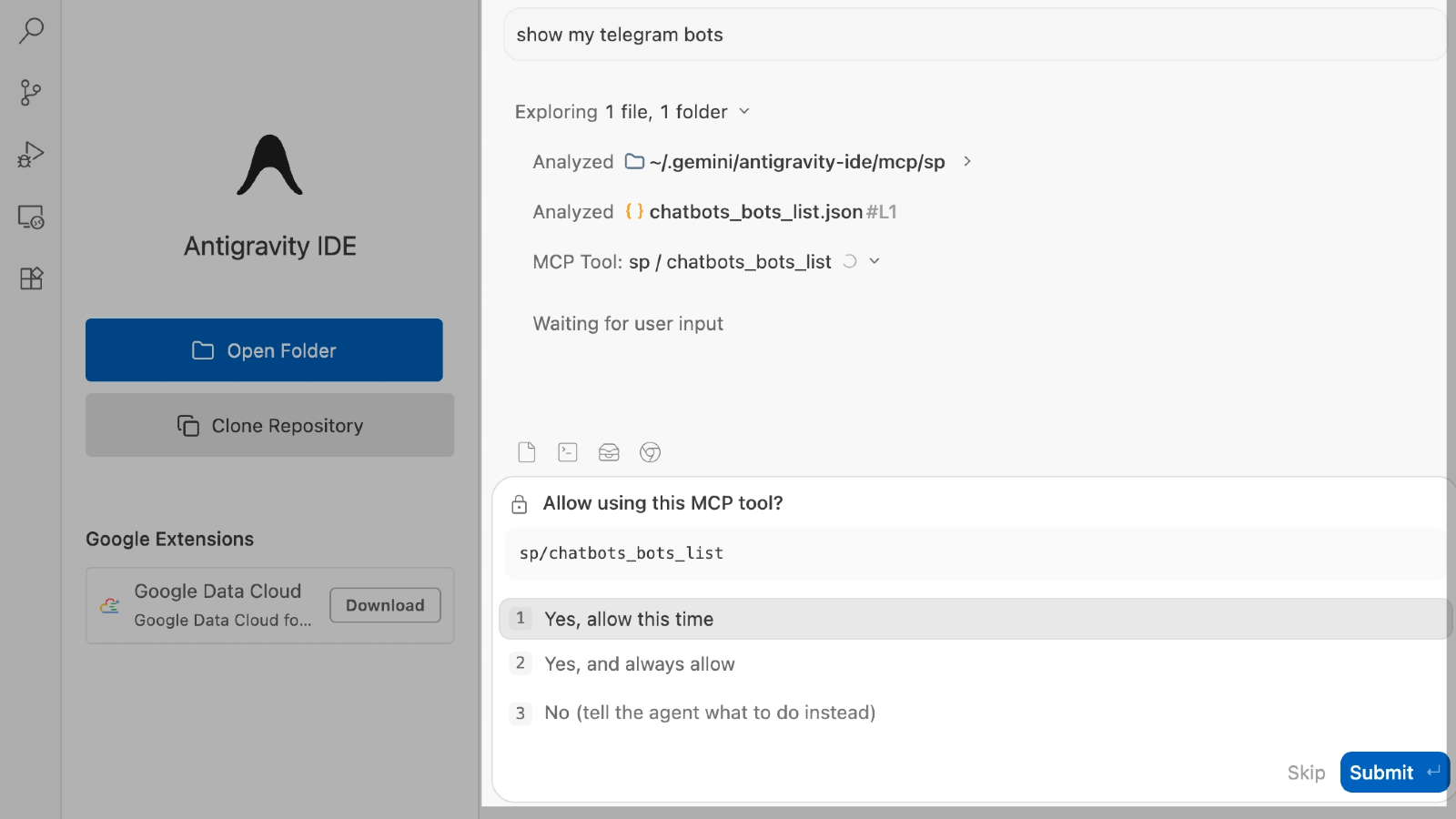
Test the connection: in the chat, send a request that needs access to SendPulse data. If the connection succeeded, Antigravity calls the MCP server and returns data from your SendPulse account.





or