Cancel your subscription
A subscription is an agreement between a user and SendPulse. Under this agreement, SendPulse provides access to the features included in the user's selected pricing plan. By subscribing, the user agrees to follow the plan terms and pay the applicable fee.
To cancel autorenewal for an activated subscription, click your profile picture in the upper right corner, and go to Payments > My Subscriptions.
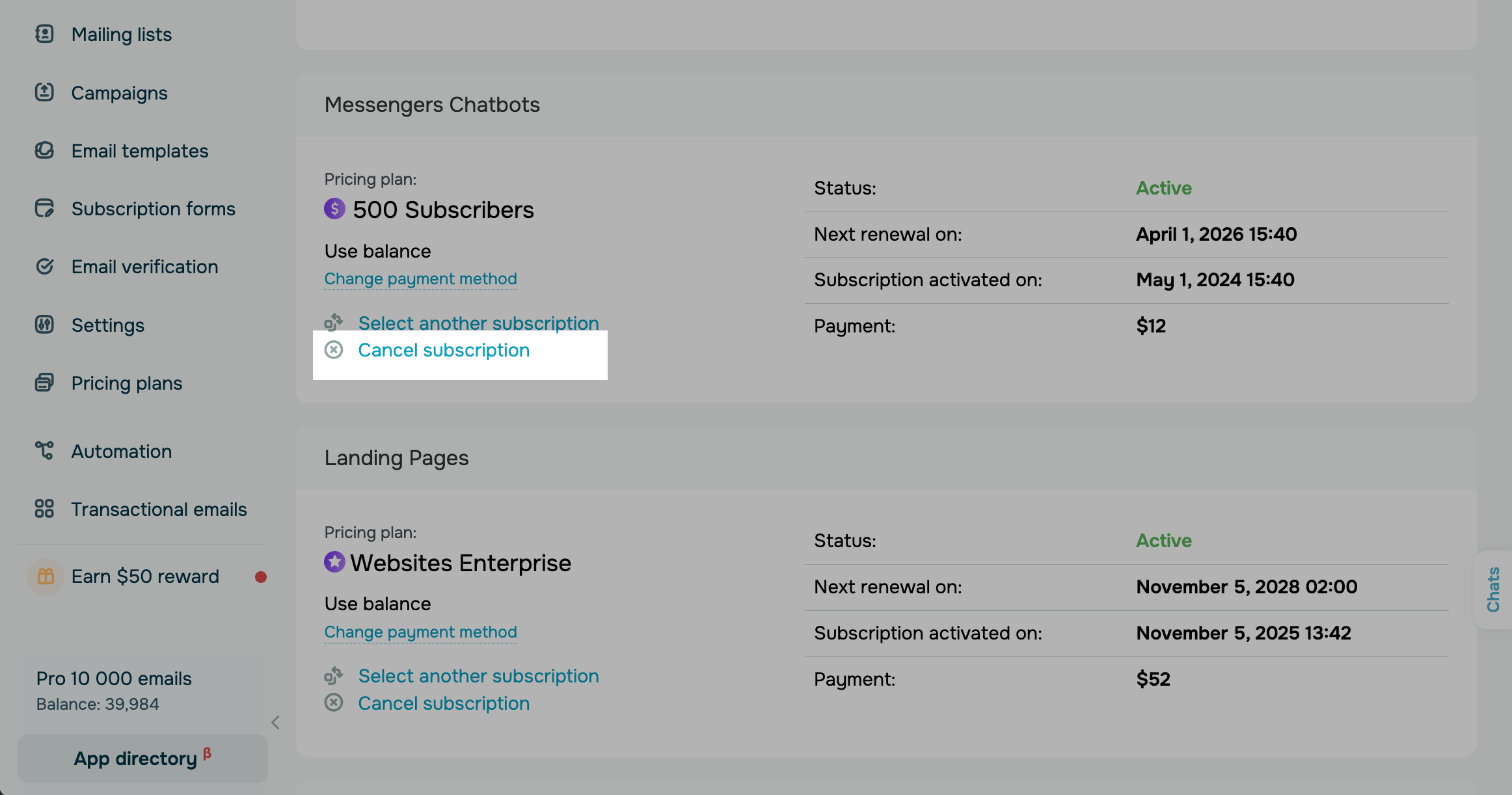
Select a pricing plan, and click Cancel subscription.
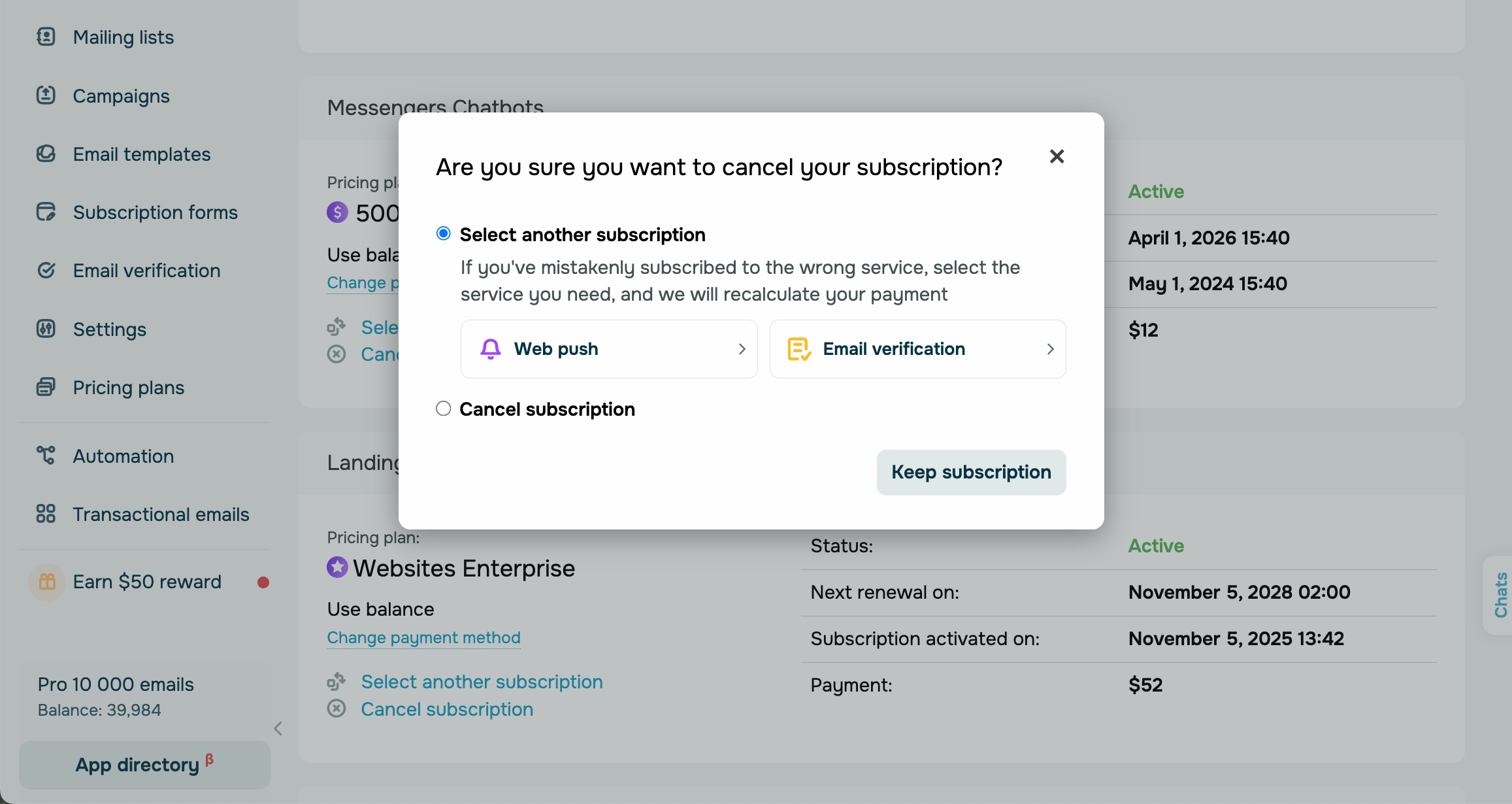
In the modal window, select an option.
| Select another subscription |
If you have mistakenly paid for the wrong SendPulse tool, you can switch to a different subscription. The amount you paid for the incorrect subscription will be credited to your account balance. You can use it to pay for the subscription you intended to purchase. Select a SendPulse tool, adjust your pricing plan conditions in the right panel, and complete your payment. This option is not available for the SMTP service. |
| Postpone subscription |
You can pause your subscription if you sell seasonal products or don't plan to use SendPulse for a while. Available to Stripe, Braintree, Flutterwave, and Monobank users. Under Postpone subscription, specify for how long to pause your pricing plan payment. SendPulse will not deduct payments during this time. Afterward, your subscription will renew automatically, and charges will resume according to your pricing plan. You can postpone your subscription for up to 60 days. |
| Cancel subscription |
If you want to stop using a SendPulse tool altogether, you can cancel your subscription. Select a reason for canceling, and confirm your action. When the billing period ends, your card will not be charged, and the SendPulse tool you have been using will become inaccessible. However, if you pay for your canceled subscription, it will renew automatically. |
 Last Updated: 10.09.2024





or