Actions with contacts inside a segment
Use segment actions to manage the contacts included in a selected list. For example, you can export segment contacts to a file, or transfer them to CRM, copy or move them to another mailing list, or delete them from the current list.
Actions with segments are only available for contacts in the selected list.
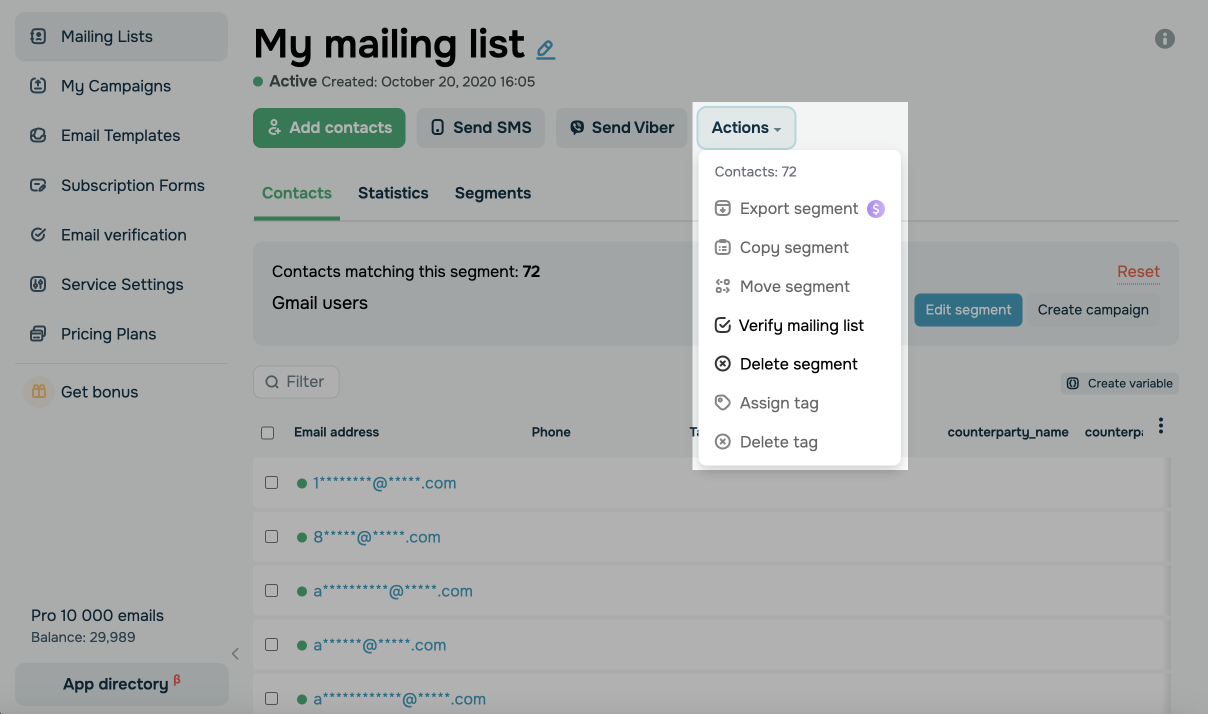
Go to your mailing list > Segments tab. Open your segment and click Actions.
You can perform the following actions with contacts:
| Export segment | Exports contacts to a CSV, XLS, or XLSX file, as well as to CRM (TO CRM). |
| Copy segment | Copies contacts to another list. The contacts remain in the current list. |
| Move segment | Moves contacts to another list. The contacts are deleted from the current list. |
| Verify mailing list |
Checks your mailing list for invalid email addresses. |
| Delete segment |
Deletes contacts from the selected list. On the free plan, you can only delete the segment; contacts will not be removed from the list. |
| Assign tag |
Assigns a tag to all contacts in your segment. Select a tag from the list. |
| Delete tag |
Removes existing tags for all contacts in your segment. Select a tag from the list. |
 Last Updated: 03.03.2026





or