The Text pop-up element
Use this element to show text to your website visitors. You can add a message tailored to your pop-up scenario to engage potential clients.
For example, if a visitor has viewed your product page more than three times, your pop-up message can motivate them to make a purchase. Your widget can also help a user calculate shipping costs when they are exploring your shipping options.
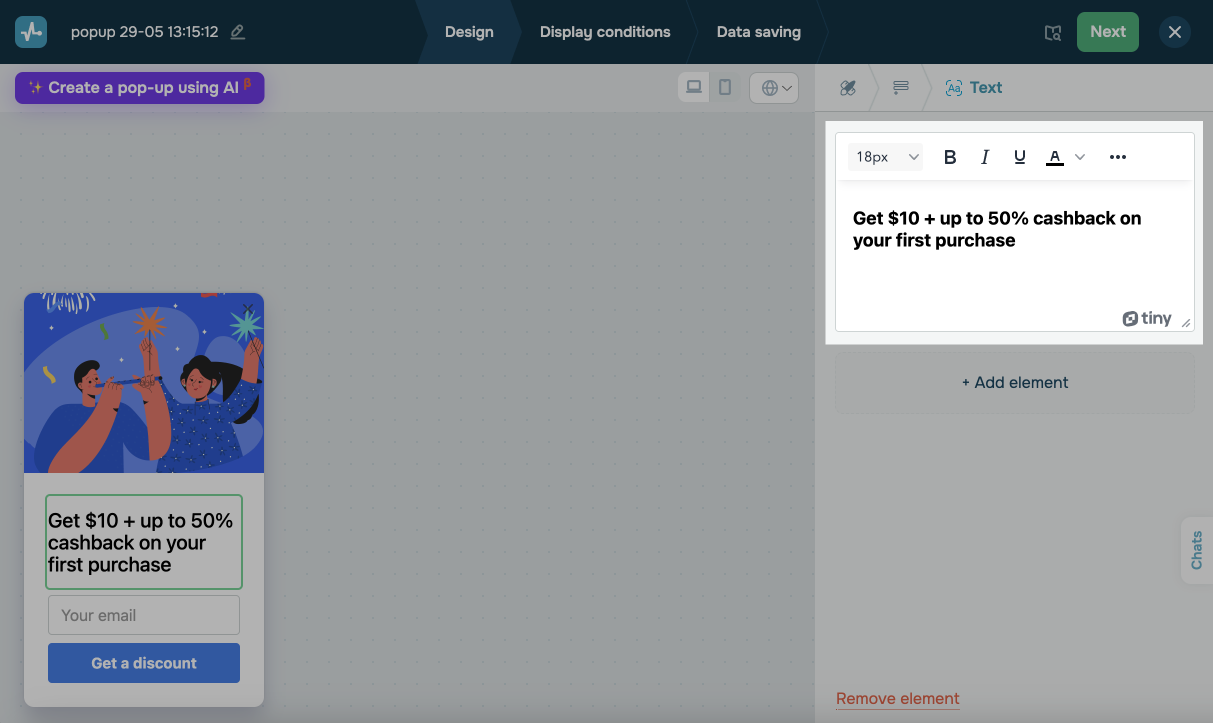
In the pop-up builder, select the Text element and go to its settings.
Add text
Enter the message visitors will see in your pop-up. To apply formatting, select your text and choose an option from the toolbar.
| Size | Changes the font size. |
| Style | Applies bold, italic, or underline styling to the text. |
| Alignment | Aligns the text to the left, right, or center. |
| Link | Turns text into a hyperlink. Click the link icon, enter a URL, and choose where to open it. |
| Emoji | Adds emojis to draw attention. |
| <> (Source code) | Opens a window where you can edit the text as HTML and insert more tags. |
Personalize your message
To personalize your message, click {} and select a variable.
You can use variables to address website visitors by name, offer unique discounts, give recommendations based on users’ previous orders or views, send abandoned cart notifications, or share other data points from your system.
 Last Updated: 16.06.2025





or