Create an Instagram Business account and how account types differ
There are three types of accounts on Instagram.
| Personal | You can share photos with your friends and family, create Stories, and broadcast live. This type of account is not intended for the sale of goods or services. Also, in the privacy settings, you can choose between a private or public account. |
| Creator | For bloggers, public figures, and influencers. With this account, you can choose your activity category, for example, Artist or Writer. You'll also have access to analytical information and statistics. You can also connect a chatbot to a Creator account through Instagram Login. |
| Business |
For businesses, organizations, and brands. A Business Account allows you to view business analytics and detailed account statistics, such as tracking how your users interact with a page. With a business account, you can promote your publications using promotions. Also, your users can easily shop on your page with Instagram Shopping via photos or videos of your products. You also need a Business account to set up ads on Facebook and to connect a chatbot through Facebook Login. |
When you switch your personal Instagram account to a professional account, you get tools to grow your business.
You can freely switch between account types for your Instagram profile without losing your data. However, only a professional account (Business or Creator) can use chatbots. Instagram Login supports both types, and Facebook Login requires a Business account.
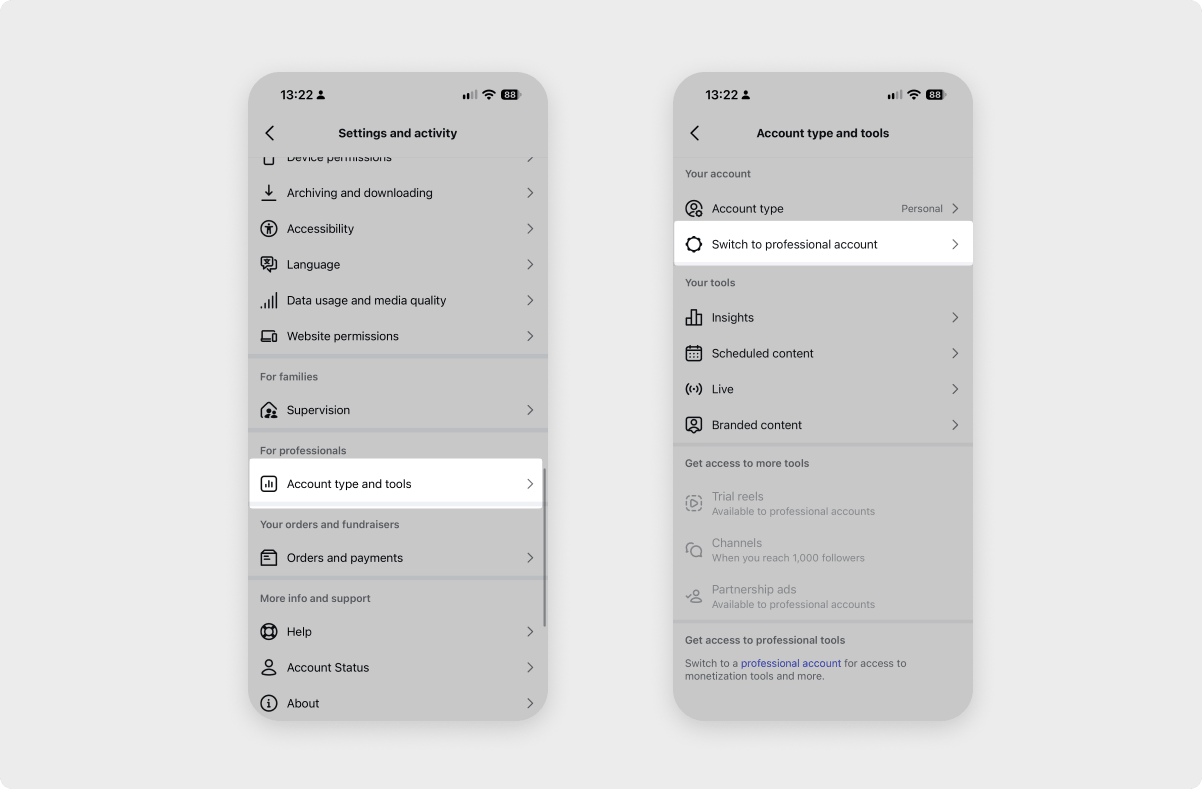
To switch your personal account to a professional account, open your profile in the Instagram app, click ☰, and go to Account type and tools. Click Switch to professional account.
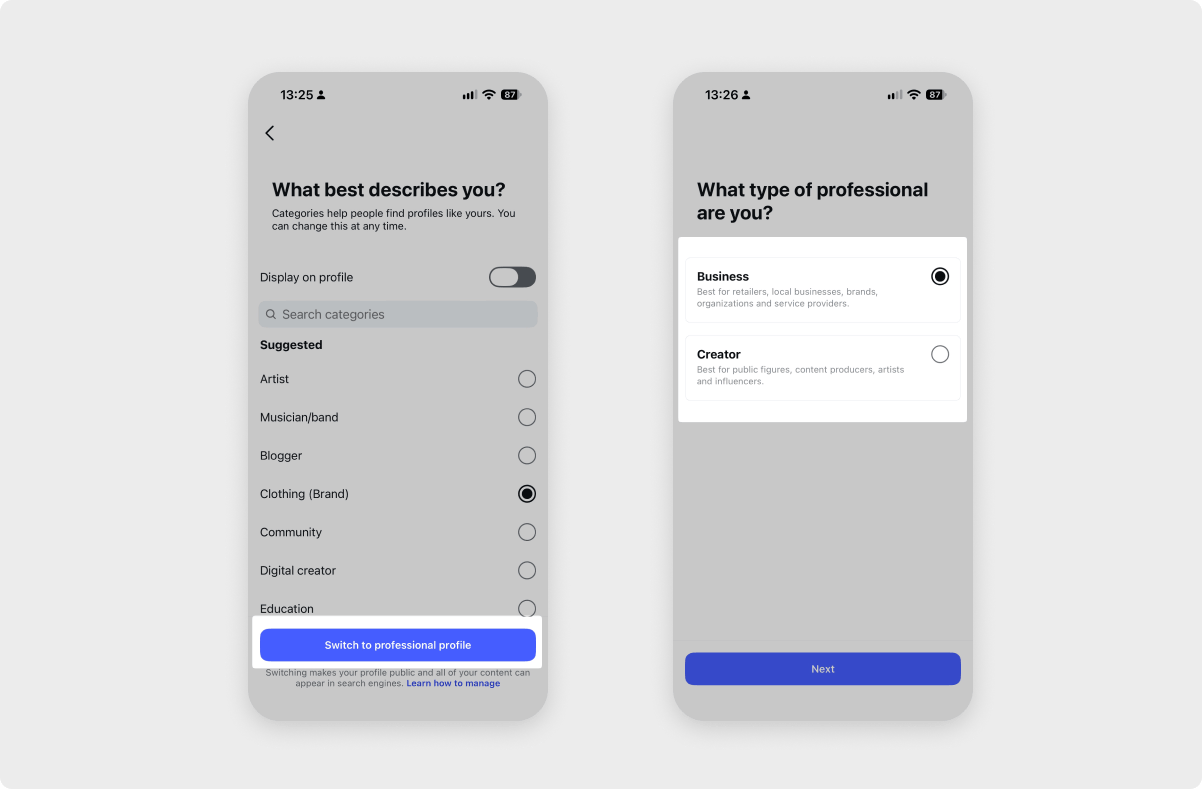
Select a category, and choose the account type: Business or Creator. If necessary, check the contact information and other details about your business that will appear on your account.
 Last Updated: 01.11.2026


or