The Video pop-up element
Use this element to add a video to your pop-up layout. For example, you can show a product demo next to a button or form. Unlike the Video pop-up type, this option allows you to combine your video with other elements in a single pop-up.
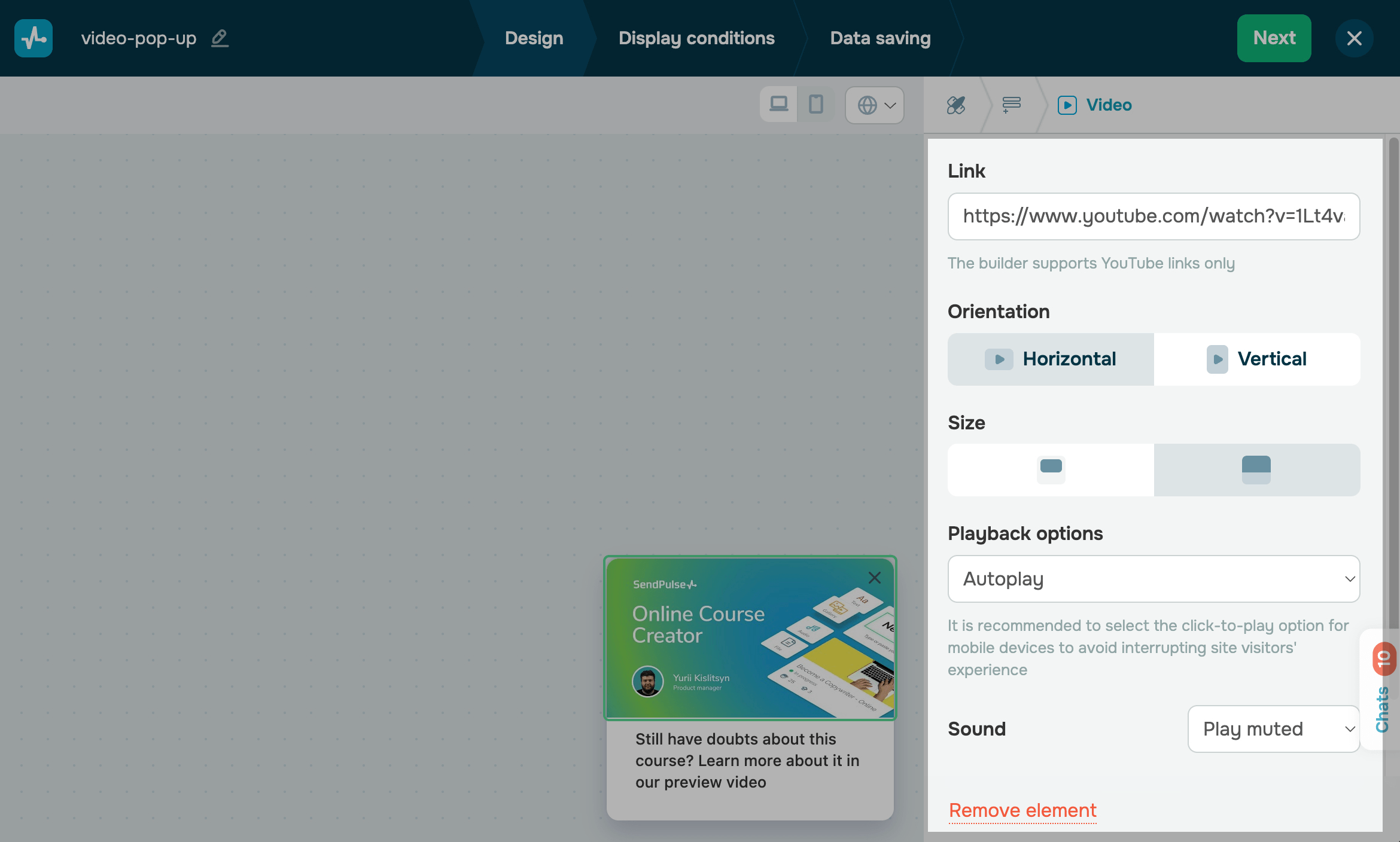
In the pop-up builder, select the Video element and go to its settings.
Add a video
In the Link field, paste a link to a YouTube video.
Customize the display style
Set a video display style:
| Orientation | Select a horizontal or vertical orientation. |
| Size | Select a smaller or larger pop-up video size. A larger video size will remove your pop-up frame. |
| Playback option | Select a video playback scenario: autoplay or play on click. |
| Sound | Choose how to play your video: muted or unmuted. |
 Last Updated: 13.06.2025





or