The Pick a gift pop-up element
Use this element to add an interactive gift that users can open to get a promo code.
Gifts will unlock once users share their contact information through an entry field. To collect this information, make sure to add a required entry field.
In the pop-up builder, select the Pick a gift element and go to its settings.
Choose where to save the data
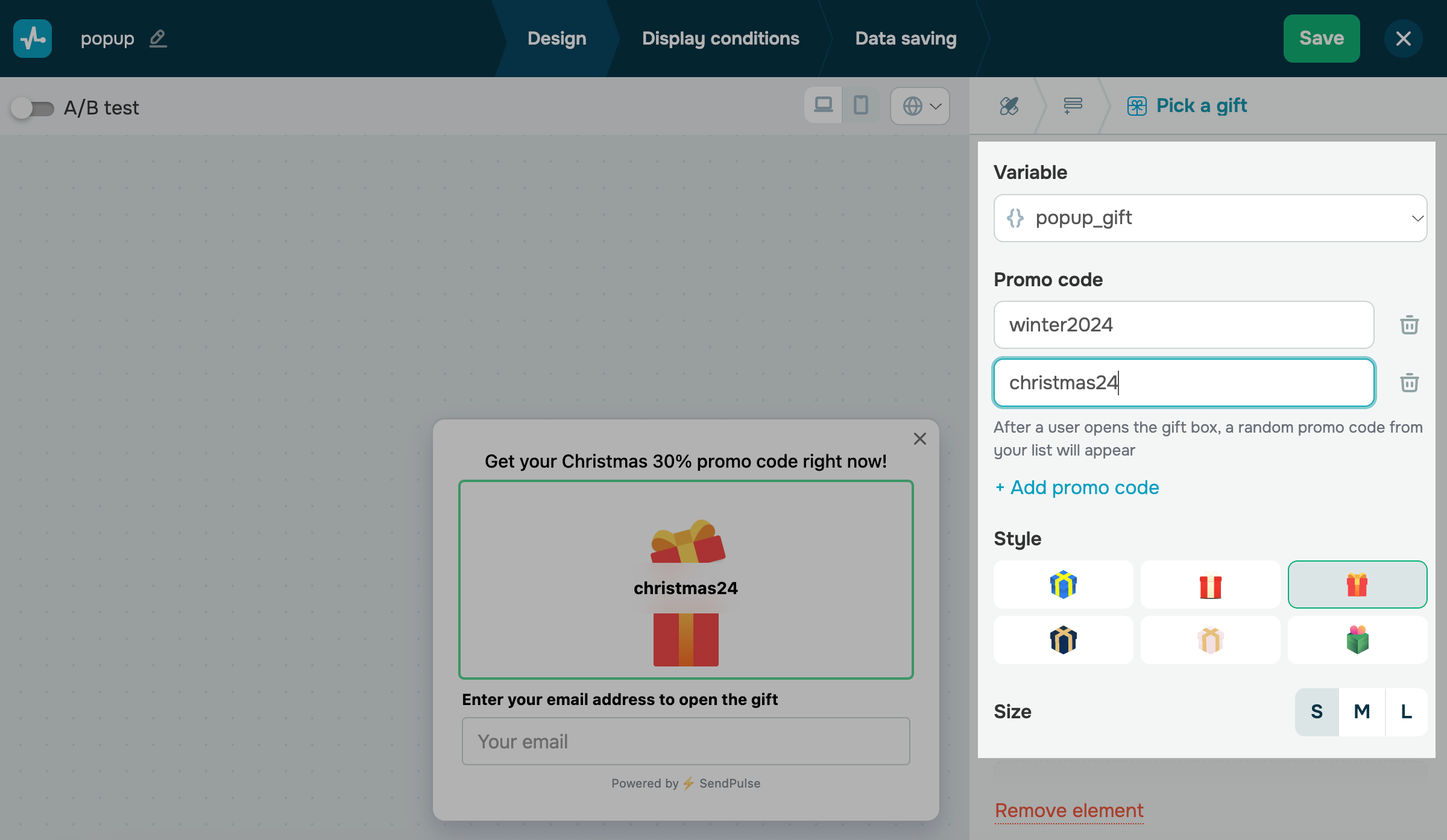
In the Variable field select or create a variable to store the value.
In the variables list, system variables can be found above the line while the variables you created in Pop-ups and CRM are found under the line.
Add a promo code
In the Promo code section, add one or more promo codes. When the user opens the gift box, a random promo code from your list will appear.
You can enter a promo code up to 20 characters long.
Customize the appearance
Adjust your gift settings in the following sections:
| Style | Select a gift box design. |
| Size | Choose a gift box size: small (S), medium (M), or large (L). |
 Last Updated: 18.06.2025





or