The Scratch card pop-up element
Use this element to add an area where users must type in their contact information and scratch the virtual card to reveal a promo code. Scratch cards can help gamify contact collection and enhance user experience.
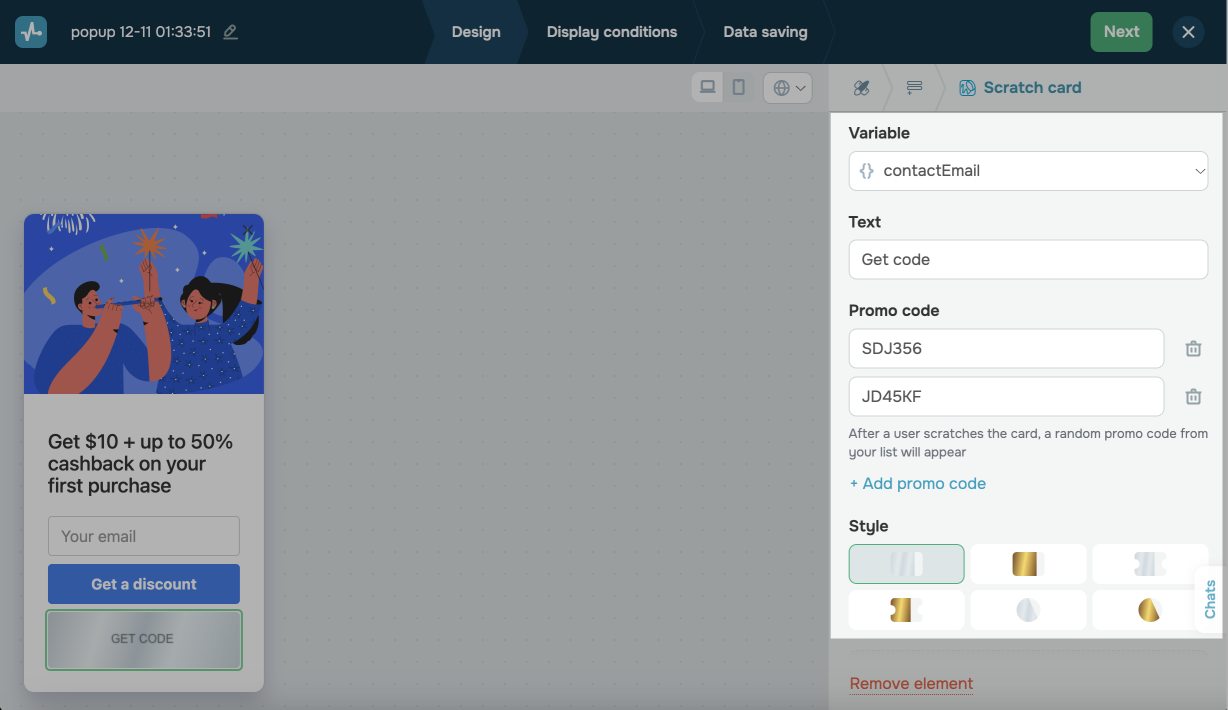
In the pop-up builder, select the Scratch card element and go to its settings.
Choose where to save the data
In the Variable field select or create a variable to store the value.
In the variables list, system variables can be found above the line while the variables you created in Pop-ups and CRM are found under the line.
Customize the text
Customize your card in the following sections:
| Text | Enter a scratch area text. |
| Promo code | Enter a promo code that appears after the card is scratched. Users can apply this code to claim discounts or other offers on your website. You can add multiple promo codes that will be randomly distributed among users. |
Customize the appearance
In the Style section, select a scratch card style. You can choose a rectangular or round scratch-off area and set a gold or silver color.
 Last Updated: 18.06.2025





or